
I'd just like to get a finger on what puzzles folks in the type design community about FontForge. Does anything seem inherently difficult? Are functions that should be routine or easy poorly documented? Tell me what's on your mind. :)
I'd just like to get a finger on what puzzles folks in the type design community about FontForge. Does anything seem inherently difficult? Are functions that should be routine or easy poorly documented? Tell me what's on your mind. :)

Do you know if it is possible to get the "ShowTTF" tool working with a FontForge installation on a Mac?

The greatest puzzle are MM-fonts!*
Difficult and hard to understand are mark and mkmk features (they work but are sorely complicated)
* don't work on winXP

Fontforge's "change width" works much much poorer than the general "change glyph" command. I know neither should be used in professional font producing but, well, doesn't it sound strange?
It's also puzzling that the magical command "change glyph" isn't accessible in scripting.

The user interface feels clunky and weird and it doesn't use the normal Mac or Windows UI on those platforms. It is in effect user-unfriendly because it doesn't run under and use the normal OS interfaces. That wouldn't deter me if I found it otherwise compelling, but there wasn't anything that made me think I should use it over FontLab Studio.
An application such as Glyphs has a much more persuasive story, IMO.

Installing it.

Basic keyboard support is non-standard. FontForge recognizes the backspace key but not the PC "delete" key.
Font file types are handled inconsistently - for example, a CID file's 'font information' is a menu selection under CID, but other file types' are under a separate 'Element' menu. No real biggie, but typical of a techie-programmer approach to user interface. I know - I used to be one!
Installing could definitely be easier. The instructions in the current documentation on fontforge.sf.net just don't work. There are some good instructions for Linux installation that actually do work at http://openfontlibrary.org/en/guidebook/how_to_install_fontforge with links to instructions for other platforms from there.
Steps to install fontforge, the short version:
In Linux:
Install dependencies, configure, make, make install. Most distros have a package called "fontforge", anyway.
In Mac:
Install Macports/Homebrew/Fink, use whatever the package manager to install a package called "fontforge".
In Windows:
Download the fontforge-cygwin from somewhere, unzip and use.
It's not all that hard to install fontforge. But working with it without experiencing crashes is a lot harder.

Do you know if it is possible to get the "ShowTTF" tool working with a FontForge installation on a Mac?
After the normal compiling and installation commands - after ./configure; make; make install; - you need to run this command:
make install_prog
Thanks, Dave.

Karl, you could also skip the whole FontForge compilation and just cd fonttools; cc -o showttf showttf.c to bake a quick working binary along the source.
Thanks, Grzegorz. You wait six months and then two come along at once! : )
The development effort for FontForge is now at https://github.com/fontforge/fontforge (has been for the better part of a year, actually).
If you are experiencing errors or other difficulties, or have suggestions for improvements you can raise an issue there, and if you have the skill you can program those improvements yourself and share them with everybody.
You largely still have to build the program from source yourself on most platforms, but there is a frequently updated drag-and-drop-to-install MacOSX build available at http://fuuko.libferris.com/osx/packages/

Is there any known magic to let the 20120731 FF load an OTF file and save it to SFD without unlinking references?
References should be preserved when saving to SFD format. It's an editing format and carries all kinds of extraneous data that may not apply in various destination formats. If your OTF file has references, reading it into FontForge and saving it out to SFD should not strip them out (the reverse can be determined on a per-glyph basis). Can you provide a detailed description and test case of this phenomenon? Have you tried a more recent build of FontForge?
A while ago I hacked together some code and scripts to convert VGA screen fonts to SFD files – kludgy, embarrassing stuff with oodles of references. Hennyway, I would then use FF to dump them to TTF, either straightaway or post-processed by fiddling the font order, unlinking references, removing overlap and then dumping to TTF.
Later I tried saving straight to OTF and... HEY! It was supposed to be the other way around! *groan* All I did (in FFscript) was Open() and Generate() – and the references are gone! earlier than I thought. How mortifying...

Here is from the Fontforge FAQ: http://fontforge.org/faq.html#Missing-Refs
See also http://fontforge.10959.n7.nabble.com/composites-in-opentype-td10104.html (dated Sept 2008)
To be clear, I blew it in memory. It's when saving to OTF that I lose my references. Is it really the case that OTF files do not contain refs?
If you save to ttf, you should keep your references (but lose your cubic splines). I don't know if there is an easy win win strategy. CFF fonts appear to rely on subroutine calls instead of references. Here is aacute in ArnoPro (obtained using ttx)
       <CharString name="aacute">
          271 callgsubr
          206 -20 -83 callsubr
          -25 418 -29 callsubr
       </CharString>
The VGA->SFD converter makes lines instead of splines, so flattening and de-overlapping shouldn't cause a squawk, but my lack of knowledge really caused me much perplexification. (I have just declared that 'perplexification' is a word.)
That is right, OpenType CFF does not use composite glyphs the same way TrueType does. (Subroutines accomplish the goal of saving file size even better than composite glyphs.)
Have any of you all spotted anything you'd consider bugs in FontForge that you'd like to have squashed quickly? I'm asking for a friend of mine, y'see…
Kerning by classes: When I click "Glyphs in the classes" to highlight the class - "Editing..." window appears. Then I must kill this window... Please: "Editing..." after doubleclick.
winXP

@JanekZ could you provide step by step instructions to reproduce this, or, better, a link to a youtube screencast? :)
@HVB you said, "Basic keyboard support is non-standard. FontForge recognizes the backspace key but not the PC "delete" key." But I can't reproduce this. Could you tell me more about what version of what OS and
FF you are using for this?
1. Open "Kerning by Classes"
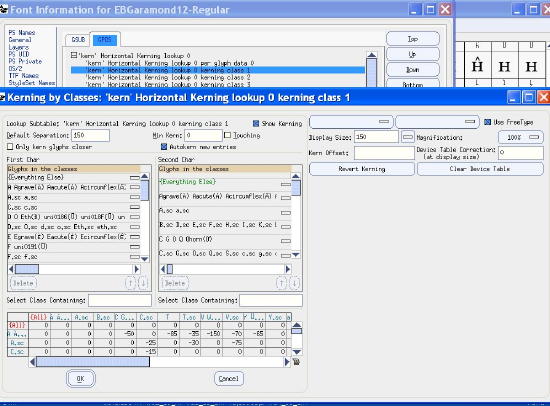
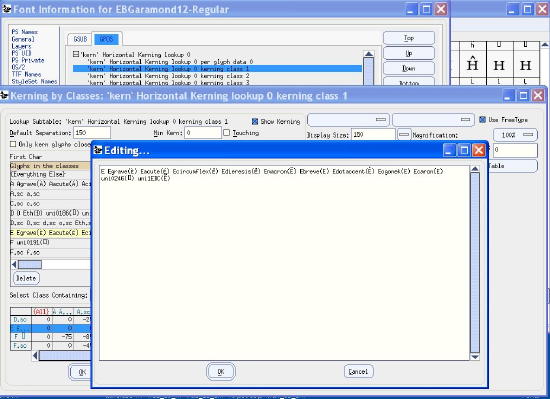
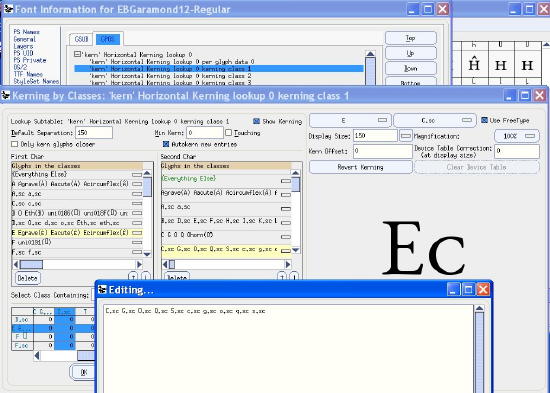
BTW Typing in "Select Class Containing:" field crashes the FontForge.
WinXP, FF as above.
Janek: right-click the kerning class.
Thanks a lot, counterintuitive but works.
Anyone else have any requests? :)
I'm a new member here. I've just begun using FontForge for Mac (an old version from Softpedia) to refine a comic lettering font I created with templates from PaintFont.com, and I have a rather unusual issue.
When I select "Generate Fonts…" from the File menu, I'm told that my font contains errors; most glyphs are missing points at extrema. When I review the errors in my glyph for the figure 2, FontForge tells me, "This glyph self-intersects. Checking for correct direction is meaningless until that is fixed." My glyph for lowercase s also self-intersects. I have the *.sfd files, if anyone wants to look at them.
The green areas here seem to be giving me problems:
http://wat.midco.net/jvipond/images/FontForge_two.png
Hi, I'm new, too, don't mean to flood the forum with questions, but I'm having problems with kerning. I've followed directions in another post here on how to kern by classes, but no matter what I do it seems my kerning is not getting saved. I'll generate a TTF and install, test it in OpenOffice, and none of the kerning shows up.
Using Win7, by the way, and the 02-2011 build of FontForge, because the newer one crashes every time I try to use it.
Any suggestions?
These are the instructions I followed:
http://typophile.com/node/90623
I've started over from scratch with new templates and a finer-pointed pen. I still have self-intersecting glyphs, three of which are highlighted in yellow:
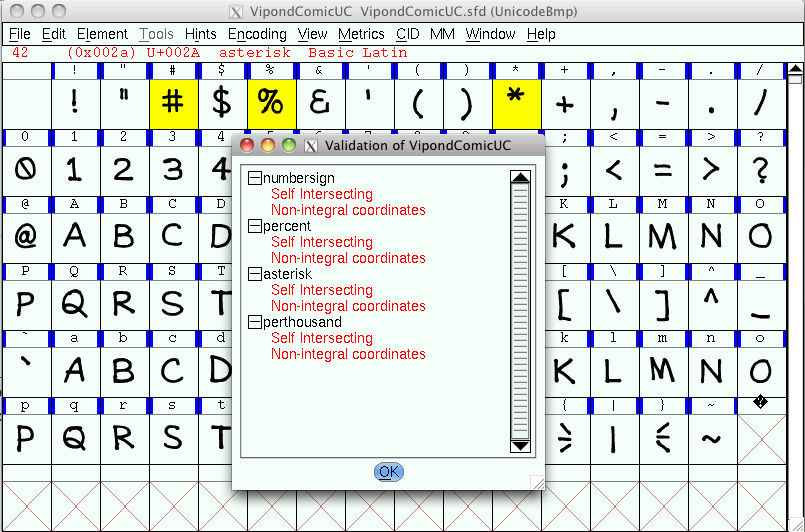
No matter how many times I use the Remove Overlap command on any of these glyphs, I always get the "Self Intersecting" and "Non-integral coordinates" errors. Here are the glyphs as they currently exist; I've used the Simplify command on all of them:
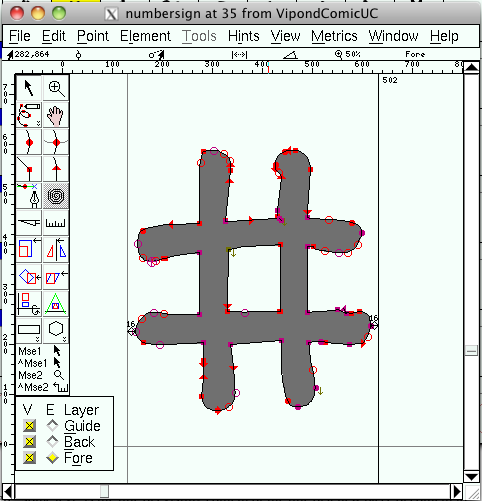
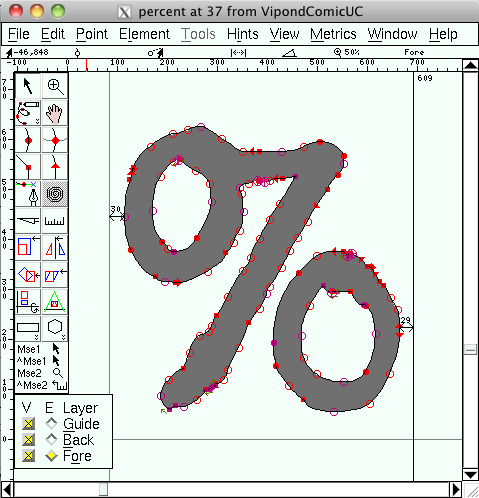
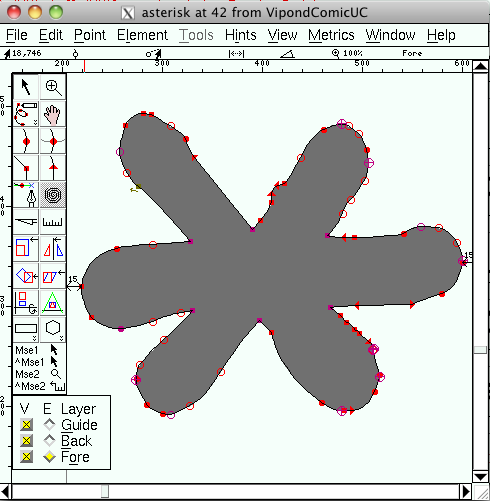
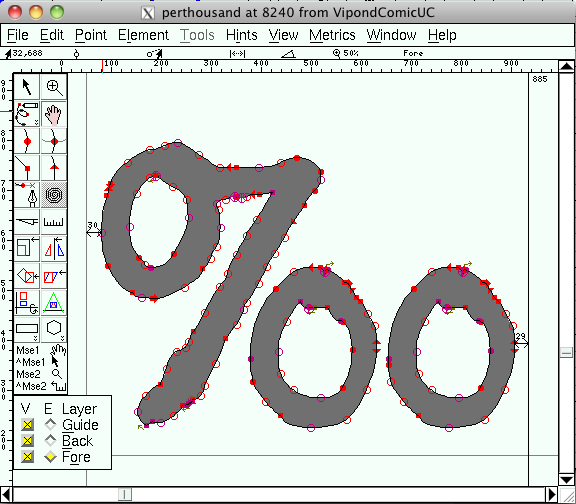
I still don't see what I'm doing wrong. I can send you my *.sfd file if necessary.
Most probably too many points, so you can't have not-"Self Intersecting" and Integral coordinates at the same time.
Simplify command is not sufficient in this case. Do some manual tweak and check again.
Captured from web.archive.org on 18 Apr 2015. view this capture

@JimHV The green areas are horizontal hints. That shouldn't be the source of the problem, but I guess it's possible. I do see several clusters of points that are almost on top of eachother. They may be where the self-intersections are happening, but it's not visible at this level of magnification. That being said, unless you're going for an intentionally rough appearance (and you may be if that is what resembles your hand lettering) you just have way too many points around this "2". Try manually Merging some of the points or use the Simplify feature to reduce the number of points while maintaining the appearance of the same shape.