
Does anybody have any idea how to access Emoticons (1F601 to 1F64F)?
The menu doesn't appear under the unicode ranges or codepages icons.
Does anybody have any idea how to access Emoticons (1F601 to 1F64F)?
The menu doesn't appear under the unicode ranges or codepages icons.

Find the file uranges.dat and add this line at the end:
0x1F601, 0x1F64F, Emoticons
Thanks Johny, I quit FL, added that to the file, and restarted but it doesn't work.
The file or Fontlab? Platform?
Johnych
The file uranges.dat - I'm working on a Mac.

Reboot as well, Nick. I always have to reboot when I am editing any of those files before FonLab picks it up

Hello,
This is the end of my uranges.dat file
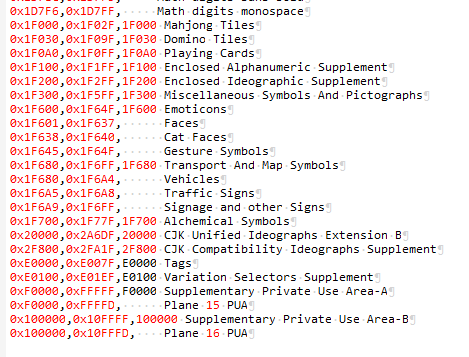
... and it works (at least on Windows)
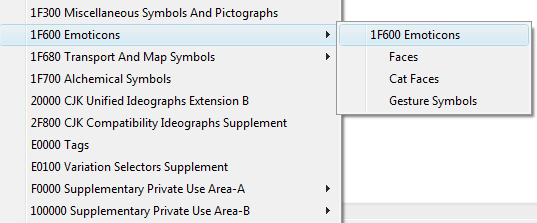
FontLab restart is required but no reboot.
Best
Eigi
Eigi, thanks.
Nick, can you see the similar Ranges menu when in the Unicode Ranges mode? Is it empty or what?
Johnych
I did reboot, it's still not there.
I wish it looked like that on a Mac instead of the most enormous list ever with no pull-downs.
Pulldowns appear if you switch to the mode when the menu is at the bottom of the Font window.
Emoticons have gone to Supplementary PUA-B somehow. You are better to use Eigi's screenshot as a sample.
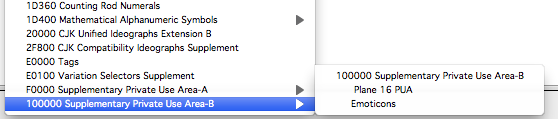
And if nothing changes at all this means you have another one uranges.dat in your user Library/... folder.
Johnych
Pulldowns appear if you switch to the mode when the menu is at the bottom of the Font window.
I don't understand what that means - this is what it looks like on a Mac:
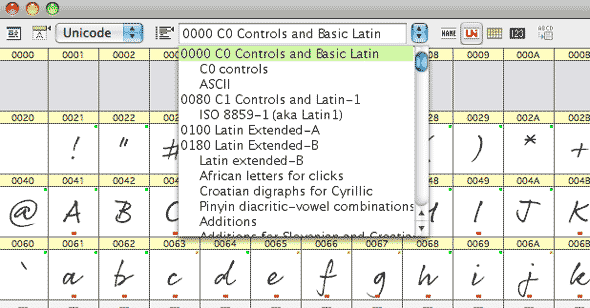
Nick,
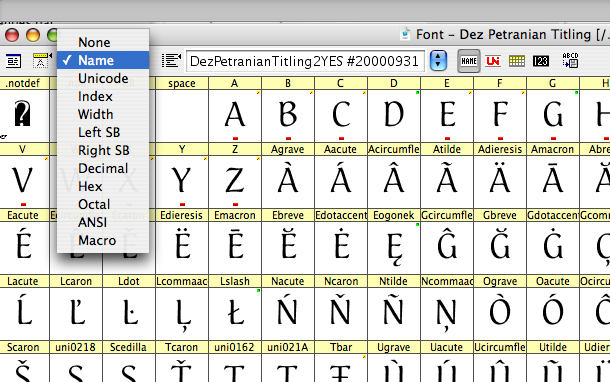
Change your "View" mode to by "Name"
Also, that font showing looks like my handwriting. :-)

I must be stupid today - Change your "View" mode to by "Name" - How? Where? in the font window?

To move the command bar to the bottom of the Font window, click the little round button on top of the scroll bar. Change modes by clicking the appropriate button when the bar is on top, or using the pulldown menu when the bar is on the bottom.
Thanks Justin, that's quite useful - Why can't it be like that when the command bar is at the top? just another quirk of FL I suppose. But it's still not there.
Nick, search for another uranges.dat then. :)
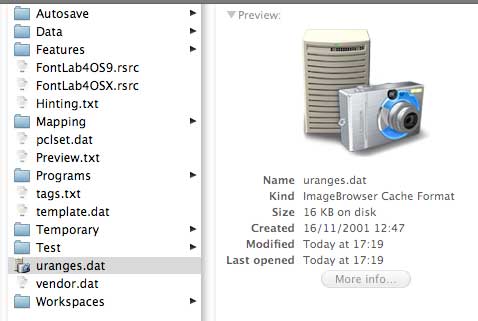
I can see what is happening now. When I insert the text into the uranges.dat file and save, it saves as an ImageBrowser cache Format file instead of a FontLab text file. Anybody have an idea how I keep it as a FL text file?
"My handwriting thread."
Shows that old type guys write alike :-)
Nick, use a text editor and save the file as ascii but with the .dat extension
Nick, the file icon doesn't matter. What is more important is that the file is in the wrong place. You must place it to the /Users/Nick/Library/Application Support/FontLab/Data/ folder.
Johnych
Bingo! That's it, got there in the end - thanks Johny.
Thanks God!
Bravo!
Captured from web.archive.org on 27 Dec 2010. view this capture