Typophile

Why not Cyrillic Glyph Names instead of afii00xx?

Chris Lozos

Cyrillic glyphs have names just like any other script. If I create a Greek font, alpha is the name of the first letter, not a code. I am not a Russian speaker and have a hard time going back and forth between the glyph name, unicode number, what the glyph looks like, and the so-called glyph name afii_thing. Is there a reason why they can't just use the real glyph names just as they do in Latin and Greek? I feel like I need a Rossettastone to tell me what I am looking at.

ChrisL
--Frustrated neophyte Cyrillic Script attempter :-{

Also, is there a table that has all the Cyrillic glyphs with their names, what they look like, their unicode address, and their so-called name?

ChrisL

Chris, if no one else posts anything, i'll try to work something up later today. I may have to do some research of names for some of the non-Russian glyphs though.

Paul,
Thanks muchly! I certainly appreciate your kind offer but I don't mean for you to go to great lengths. I was just hoping someone had a link and there was already something available. If there isn't, I will do the leg work myself.

You are a good friend and I don't want you to go above and beyond the call of Duty. Besides, I don't want you to miss out on all that exciting party life in Buffalo :-)

ChrisL

>> Is there a reason why they can’t just use the real glyph names
Adobe Standard Cyrillic Font Specification, P.7:
"2.2Why Use AFII Glyph Identifiers?"
http://partners.adobe.com/public/developer/en/font/5013.Cyrillic_Font_Sp...

>>is there a table that has all the Cyrillic glyphs with their names, >>what they look like, their unicode address, and their so-called >>name?

http://www.fileformat.info/info/unicode/block/cyrillic/index.htm
http://www.fileformat.info/info/unicode/block/cyrillic_supplement/index.htm

hi chris,
probably not completely what you're looking for, but for a start:

decodeunicode.org

the single pages referring to the resp. unicode blocks (greek + coptic, cyrillic + cyrillic supplement) are nicely hidden to the left of that double dotted line :-)
hope this helps at least a bit.

At www.unicode.org/Public/4.1.0/charts/ you can grab CodeCharts.pdf (ca 30MB). Cyrillic starts pp 40, the information include glyph names. [But this is only half of the answer. Being curious for the other half myself.]  ;-)

[edit: One minute too late!]

Alexy, Franz, Karsten! THANKS GUYS!!!

ChrisL

This archive includes useful AGLafii2AGLuni.ren and AGLuni2AGLafii.ren files.

Here are all the 'afii' names you'll need
Adobe Glyph List For New Fonts

Use it and you'll save yourself a lot of trouble :)

BRAVO Miguel! You guys are the best!

ChrisL

The script below will work with John's .REN files referred above (and, of course, with any file one might create). Just put it in FontLab's Macro folder. It requires Robofab.

http://www.adhesiontext.com/typophile/GlyphRenamer.zip

>>The script below

Also Rename glyphs by scheme macro included in FontLab on Steroids Pack does the same thing.
http://steroids.fontlab.net

> macro included in FontLab on Steroids Pack does the same thing

Not for me (on a Mac). That's why I had to write my own.

In addition, my script does not require the renaming files to be in a specific folder, to have a specific extension, or to have a specific header. All it requires is a text file with two columns of names separated by white space (can be 1 or several space characters or tab entries).

Miguel, no-wonder Adobe hired you :-)
Thanks to you all for being so helpful. Now, if I only could learn to speak Russian...:-)

ChrisL

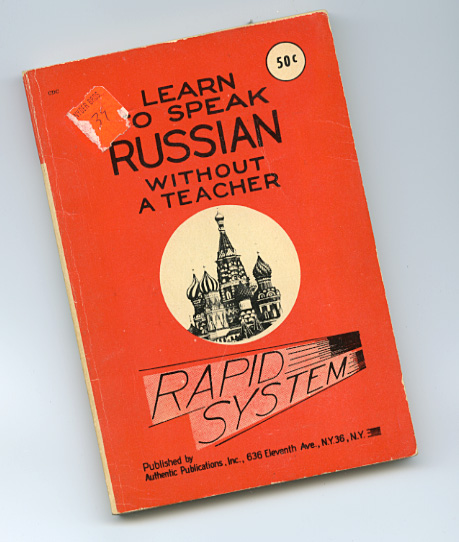
Here you go Chris...

Danka Tovarich Simonson!
My 50 cents is in the mail :-)

ChrisL

As you can see, I only paid 39¢ for my copy--over 20% off the publisher's list price! It pays to shop around.

LOL!!!

ChrisL

"Danka Tovarich Simonson!
My 50 cents is in the mail :-)

ChrisL"

Actually Chris that would be more like "Spasiba Simonson!" Unfortunately I can't translate the rest for you... Ya Ponymiu Ruski nyem noga... and I think I absolutely butchered the phonetic spelling too.

У Вас прекрасно получается

Michael,
Now you see how badly I need Mark's book :-)

ChrisL

Looks great David--wish I knew what it says :-)

ChrisL

It's implicit in many of the comments, files and links, but I didn't see anybody come out and say it. So, for other readers who are not as familiar with this stuff:

You can of course use whatever glyph names you like for your own internal (production) usage. But when generating the final font, the afii names from the Adobe Glyph List For New Fonts are preferable so that they will be recognized by potential consumers of the font.

Cheers,

T

> wish I knew what it says

You're doing fine*

( > Actually Chris that would be more like “Spasiba Simonson!”* )

Thanks Thomas.
Why the afii names to begin with? They are not used for Greek? Why not Ka. Be Ze Ef?

ChrisL

Spasiba David.

ChrisL

> Why the afii names to begin with? They are not used for Greek? Why not Ka. Be Ze Ef?

Chris, looks like you missed Alexey's comment above.

I have Russian on tape, Russian on CD, three different books, and a wife from Azerbaijan who's first language is Russian and I currently know only about 40 Russian words... so I guess it has more to do with how disciplined and persistent you are than what (or how many) learning tools you have... at this rate my month old daughter will quickly know more Russian than me. Sometimes I feel like Koko the gorilla, counting and tracking how many words I know... though at this point I think Koko knows over 1000 signs and over 2000 spoken words, so I am way behind in comparison in Russian...lol

Hello

This is my first comment on typophile.
i am now finishing my MD at type & media kabk the hague.

I am working on Arabic typefaces and I have the same problem that is mentioned conserning the naming of the glyphs. It could be very annoying while in the stage of designing your font to keep using the affixxx naming.
What i did is that i made my own incoding ( 1. modified the agl.nam in the mapping folder of fontlab. 2. added my personal encoding .enc file in the encoding folder of fontlab) file in the with my own naming for my font.
I use this encoding during the design process, but when it comes to generating the font, i
made a script using Robofab that changes all my personal names back to unixxx before generation. I can also do it to change the names back to affixxx.
The nice think about that is only have to do this naming and encoding stuff once, and then you will use it always and the design process will be much more friendly.
Ok
cheers
pascal zoghbi

Thanks Pascal, and welcome to typophile!
It seems great minds think alike. Miguel, Thomas, and Alexy also use a renaming method.

ChrisL

well here is my script that i use.
it does not need any glyph name list file to refer to.
it transforms all the names to uni + the unicode number it has.
it only works if you want the glyph names to be in unixxxx.

---------------------------------

#FLM: Glyph name to uni pascal
#pascal zoghbi

from robofab.world import CurrentFont

f = CurrentFont()

for g in f:
uni = g.unicode
if uni:
unicode = "%X" %uni
name = g.name
lastBit = ""

numberOfZero = 4-len(unicode)
if name.count("."):
k, lastBit = name.split(".")
lastBit = "." + lastBit
uni = "uni" + "0"*numberOfZero + unicode + lastBit
g.name = uni

f.update()

-------------------------------

i do not know yet how to attach files.
so only copy and past the script and it will work.
Maybe you need to insert the tabs again properly if when copying and pasting the tabs were removed or so.
can someone tell me how can a attach file which are not images.

ok
cheers

Pascal Zoghbi
MD type & Media

Thanks Pascal!
Attaching files is limited to GIF, JPEG, and PNG. You need the latest Flash driver installed to see the "insert image" link below the text box for "Post New Comment".

ChrisL

As a matter of fact, a large number of cyrillic glyphs have historical long names, following greek tradition. These are widely used by linguists and known to educated speakers of slavonic languages. The same names are used for Glagolythic alphabet, which is different from cyrillic in glyph shapes only. Details can be found on Wikipedia http://en.wikipedia.org/wiki/Glagolitic_alphabet. I believe these names work better as glyph names because there are less conflicts with greek (Fita =/= Theta) and latin (On =/= O, Uk =/= U).

WTF is danka!?

Thank you Sergei Egorov. It all becomes clearer now!

ChrisL

Chris, to address your background question: The Greek alphabet is essentially used to write a single language, so transliterated letter names can be used for glyphs without causing problems for developers who might call them something else. The Cyrillic script, on the other hand, is used to write more than fifty languages, and not all of them call the letters by the same names or even use them to signify the same phonemes. So codes are better for standard glyph names. That said, I use the uniXXXX form names for Cyrillic letters, not the old afii codes, since they are a bit easier to remember once one knows the Unicode set, are more efficient in terms of font size, and save me from keeping track of two different code naming conventions. You would only need to use afii names in Type 1 fonts with some pretty ancient software.

I use transliterated glyph names largely based on modern Russian names during production, and switch to the uniXXXX names for the post/CFF table entries. My Cyrillic production names are preceded by c. as a script indicator, which distinguishes e.g. Cyrillic c.A from Latin A.

Thanks John! That seems like a great system!
Now it all makes sense.

ChrisL

hi pascal,
good to hear about your project. i am currently working on my ma at the typeface design course in reading - and as it happens, i am also working on an arabic typeface!

thank you for sharing your script - it doesn't work with my configuration, for which platform did you write it?

i am working on winxp fl 5.0.2., python 2.3.5, robofab 1.1.1

Chris,

I second John's explanation. A simple example: in Russian, afii10068 (U+0433) is pronounced "g" (like in "good") but in Ukrainian, this letter is used to write a dark "h" sound (something like in "hat") while "g" is written using afii10098 (U+0491). There are other situations like that. A similar issue can be made between the Hebrew and the Arabic script. The Hebrew letters are practically used to write only one language so one could theoretically use "descriptive" transliterated names for the Hebrew glyphs, especially that the Hebrew letters have actual names (e.g. "aleph"). But the Arabic script is used to write many different languages of the world and the heavily diacritic structure of the script makes descriptive names at least illogical -- you end up with names like "dotless beh", which make little sense because you're mixing visual and phonetical elements.

A.

Thanks Adam!
It seems as though Latin script, even with all the diacritics, is quite simple to deal with compared to most other scripts. I can't imagine how complicated the Asian scripts must be!

ChrisL

>I can’t imagine how complicated the Asian scripts must be!

Once Fiona showed me one Indic font she was working on, and I got lost right in the first handful of glyphs... :/

Miguel,
If I ever threaten to do an Asian script, STOP ME!!! They look incredibly beautiful but I am too old to learn enough about them to finish one before I die :-)

ChrisL

Excuse me for bumping the old thread, but what exactly would happen if I output a font with non afii00xx glyph names? I'm testing my multilingual sans serif and it looks like it works fine as long as glyphs occupy their proper unicode values... I've generated an .otf, installed it and nothing seems to be broken in any applications (InDesign, Illustrator, Photoshop, Word, browsers) on both Mac and Windows.

I have renamed Cyrillic glyphs to my preference (Acyr, Becyr, etc.). After all we rename the glyphs in PUA to our preference. And I have some Ukrainian ligatures like yicyr_yicyr that would look strange if it was afii10104_afii10104

Am I doing something wrong? What can hypothetically break? I guess that political issues (like transliteration) are not the case because in 99,9% cases, the user won't ever see actual glyph names, only the glyphs themselves.

The only real reason is that in some corner cases with OpenType CFF fonts, encoding must be inferred from glyph names alone. Mostly this occurs when the font is printed to a PostScript file, and then that file is turned into a PDF. If the glyph names are not recognized by the PDF creator, the PDF will look correct, and print fine, but the underlying text will either not be present, or be incorrect.

afii names are not the only option, however. You can use uniXXXX names instead.

Or you can decide that this is an unlikely or irrelevant corner case and ignore the issue.

Thanks, Thomas. Are you away of the actual problematic PDF creators so I could test it?

It’s not the PDF creator, but the workflow. Simply:

Use an OTF font.
Print a PS file to disk instead of to a device.
De-activate the fonts
Make sure that your PDF creating software doesn’t know where the fonts are.
Create your PDF.
Open the PDF and see that everything looks right. However, copy-paste, search and so forth don’t work worth beans.

You can use Acrobat Distiller or anything else. It doesn’t matter at that point. I am not even convinced there is any need to test this—it is a pretty well-known and longstanding issue. It’s the main reason anybody cares about glyph names in the final, produced font. If you have a PS OpenType font (.otf), use completely non-standard names, and the original font is unavailable to the PDF creator, this will happen.

That said, obviously it is a corner case, for most purposes. So you may choose to ignore it, your call.

Thanks! What if I will use a TT OpenType font? Would there be any difference?

Well, that gets more complicated.

IF the driver is set to send the TT font as TrueType to the PostScript device, then nothing can go wrong, and incorrect or even completely absent glyph names should not cause a problem. This is because the entire TT font, including the cmap table, gets put in the PostScript print stream.

If the driver is set to do something else, well, it depends on what that something else is....

Note that my knowledge of this particular print scenario with TT to PS devices is quite a few years old. It may be that all modern drivers behave one way or another and I don't know about it. I don't have a PS printer set up right now to mess around with this; it could vary by driver/platform/moon-phase.

Well, okay, probably not by phase of the moon. :)

Thanks, Thomas! So I think it's still unsafe to leave custom glyph names in a final font.

One thing I'm curious about is why Adobe has never actually remedied this since it would avoid a lot of headaches associated with CFF opentype fonts. Apart from the inconvenience of being forced to use the rather non-intuitive names defined by the AGL discussed in this thread, we are stuck with the need to duplicate certain glyphs (e.g. small capitals), to avoid various double-encodings which would simplify some fonts, etc. all to satisfy the limitations of a single program (Acrobat), and only in a fairly limited number of cases.

If Adobe were to update their PostScript drivers to embed cmap data into postscript files and distiller to make use of such data, these would all become non-issues.

The syntax adopted for including cmaps could use % delimiters, in which case older software would assume they were simply dealing with a lengthy comment and ignore the new data which would help ensure backwards compatibility with existing applications.

People use old software sometimes. The issue would not go away for many years even if Adobe did update their PostScript drivers. Plus, one often hears that if people want to make the best and most reliable PDFs, they should be made with the source fonts available.

I started to write that still, it was not a bad idea, but then I thought about it more....

One problem is, it is not just the cmap. That is fine for one-to-one mappings of default glyphs, but not for alternates, ligatures, etc. There is all sorts of stuff that does not cover.

So for full reliability, you'd need to inject a LOT more info into the print stream. Possibly the rest of the font (the part beyond the CFF table), and that rest not subsetted down to just the glyphs used in printing. This would make for a much fatter and slower print stream, so it couldn't be on by default, because the normal users who just want to print can't get hit with a big performance penalty.

In which case, you would be in exactly the same boat as today, that sometimes things would go wrong, as long as people make PDFs from print streams. Even in a perfect future where that fatter print stream was an option.

I expect this is why it was never done. :(

OK. I see your points. However, I still think its a bit annoying that unicode fonts should be perpetually hampered by the fact that PS Type 1 fonts predate unicode (which is essentially where the PDF problem stems from). Another option would be to create a postscript driver which embeds the underlying character stream (at least when writing to a file rather than an actual printer), but I don't know enough about printing architecture to know if that's even possible. Even if it took years before the problem went away, it would at least become less and less of an issue over time.

I vacillate back and forth on the issue of whether I should adopt Adobe's strategy of ensuring that glyphs can be uniquely mapped back to characters or not. Having separate glyphs for (e.g.) A.sc and a.sc or onesuperior and one.sups isn't a big deal for simple fonts, but if you have a large character set and/or lots of alternate glyphs kerning becomes more complicated and the glyph window starts getting rather cluttered.

Also there are some cases (albeit not that many) where descriptive glyphs names might be useful for the end user. Pi fonts come immediately to mind -- Adobe Carta uses names like 'lookout' which are far more informative than 'uniE041' would be (though admittedly the ability to reconstruct PUA codepoints isn't exactly crucial since they're not meaningful unless you're using some standard like MUFI which fonts on the users system also adhere to).

André

Adobe won't even put a glyph palette in Photoshop or properly UI Stylistic Sets, why would they give a tinkers damn about fixing this? Adobe died and morphed into Quark. They just don't care about type users or designers.

What? Adobe continues to make some of the best type out there.

hhp

I think talking about Adobe as a single monolithic entity is a mistake. :)

It is a big company. It has different teams with different priorities, and their handling of things that are other than massive company priorities will differ. This is normal, albeit unfortunate, for any big company.

For the kinds of issues under discussion, pretend there is no “Adobe,” but rather a PostScript printers and driver team, an Acrobat team, a Photoshop team, a type team, and so on. This maps more closely to the way things actually work, in my experience.

Of course there is discussion and cross-pollination. But the silo effect is pretty huge.

Which is the "team" that won't let the Type Team do its job? The Scheme Team?

The issue about PDF creation isnt’t about Adobe. PDF is an ISO standard, and there are dozens of OSes, libraries and apps which create PDFs directly, using their own software:
— Quartz, the OS X graphic subsystem
— Ghostscript, a popular opensource package
— Qt, a cross-platform application development kit
— Cairo, an opensource graphic rendering subsystem
— Apache PDFBox
— libHaru
— Apache FOP
— GnuPDF
— Global Graphics
and many more.

PDF documents are written directly, or through an intermediate PostScript file, from desktop applications on various OSes but also from various libraries that are used on various web frameworks. PDF creation libraries are available in a large number of programming languages: C#/.NET, C++, C, Java, PHP, Python, Ruby, and others (in each of these languages, there is a large number of libraries available).

Hell, even some photocopiers allow you to scan a document, OCR it and save it as a PDF to a USB stick.

Since font embedding has always been a fairly complex issue, some of these libraries have solved it in as simple way as only possible.

All kinds of versions of these libraries are deployed on all kinds of devices, websites, server software, desktop apps etc. on different OSes worldwide. A fair number of these doesn’t even support OTF at all (just TTF), others support OTF but have gone a simple shortcut and treat them the same way as Type 1 (or more specifically, they just extract the CFF table from the OTF font file and put it directly into the PDF, without any parsing or subsetting, because it actually is the simplest way — but the only thing that at that time gets written into the PDF is the CFF table which relies on glyph names only.

So no matter what Adobe would do, it won't "fix the problem". Seriously — how many of you OS X users out there regularly use Adobe Acrobat to create PDF files, rather than using the PDF creation built-in into OS X? That PDF creation is not Adobe's, that's Apple's. And it's severely limited, too. :)

Best,
Adam

Captured from web.archive.org on 20 Apr 2015. view this capture