(I originally posted this in the FontLab support forum, but y'all are pretty active here, and I'm in a bit of a panic mode, so pardon the bad habit.)
Hi folks, I'm having a strange issue with a monospaced TrueType font on Windows, and I'm wondering if anyone will have seen something like this before.
The custom font in question is designed to match a different custom font, and the metrics are supposed to match exactly.
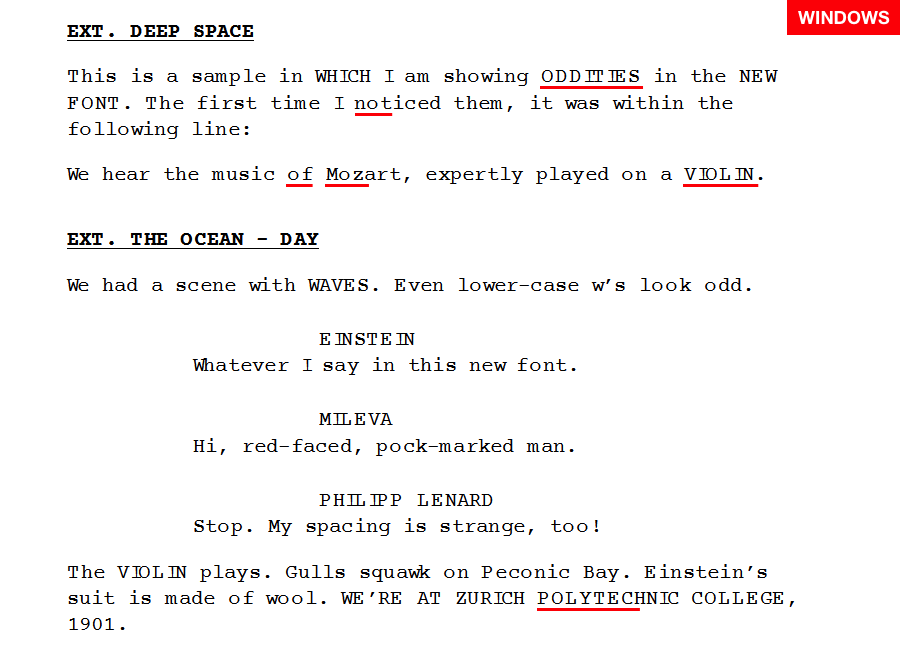
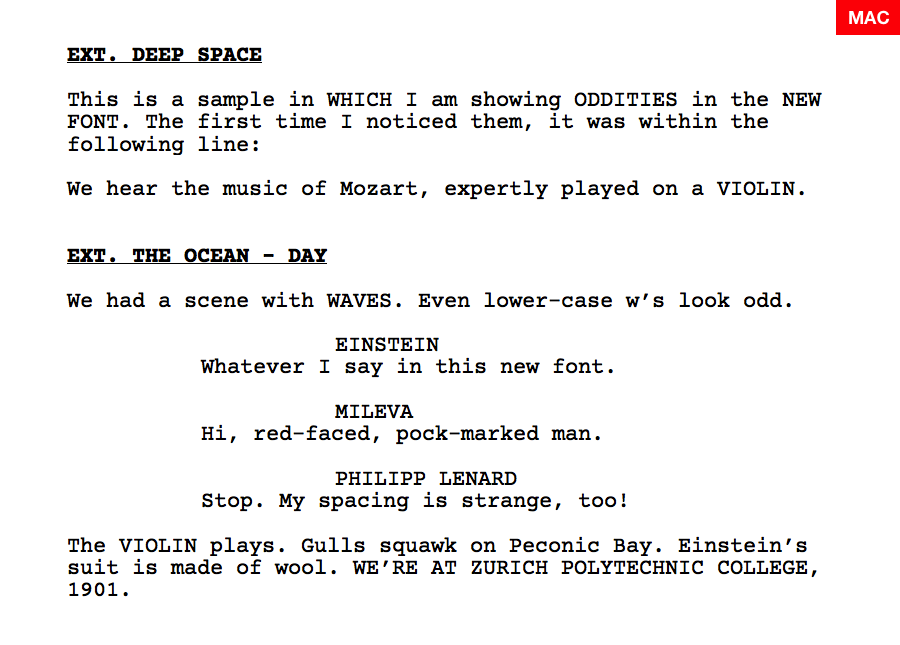
On Windows 7, the font renders as non-monospaced, with more space given to certain characters (o, L, P). Additionally, certain characters seem to be dramatically shifted within their bounding box, such that they run into their neighbors (particularly the uppercase i). There's also too much leading. On a Mac, everything shows up fine, properly monospaced.
The font has no TT instructions, but I tried a quick autohint and saw yet different metrics, both horizontal and vertical. But in spite of the hinting having a profound effect on the metrics, it doesn't seem like strictly a hinting issue, because the font renders with the same problems at all sizes.
To make matters worse, sometimes it doesn't render at all. In Final Draft, it appears correctly in the font and renders the expected font on screen. In Wordpad, it appears in the font menu, but renders as Arial.
I'm wondering if this is a FontLab bug, because if I just open the original custom font, rename it, and regenerate it, it exhibits the same problems, while the original font renders just fine.
Attached are two images, one for Mac and one for Windows. Has anyone seen anything like this before?
Thanks for your time,
Alan
| Attachment | Size |
|---|---|
| tt-rendering-windows.png | 24.4 KB |
| tt-rendering-mac.png | 59 KB |