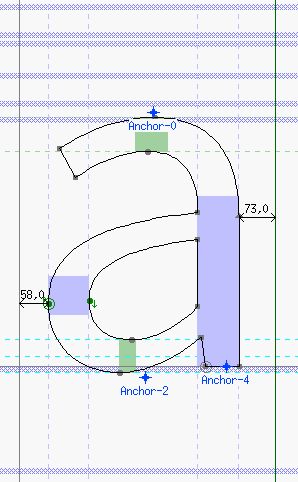
My autohinting endeavour did not produce that great results. What I did was:
- FL autohinted everything
- Defined the bluescale according to the largest verical alignment zone (47). So Bluescale is 0.021276, Blueshift 10 (max. overshoot value for round shapes), Bluefuzz = 2 just in case.
-Did the auto zones with green diamond: -30,0 504, 519 697, 744 -220, -193. I checked that they are quite accurate.
-Auto stems. V: 78, 100. H: 72, 54, 100. These are true.
-Then I removed all previous hints and ran the Adobe FDK Autohinter.
Now, in very small sizes, everything is aligning quite nicely. Problems occur in a bit larger sizes, all overshoots seem to align one pixel off from the baseline and x-height. See the screenshot attached. Same thing happens with FL autohinter and also when I remove all hints leaving the stem and zone settings. Any idea what I'm doing wrong? I'm guessing something is wrong with the blue-settings, because frankly I'm not sure how to set them up correcly.
The screenshot is from Indesign CS4, Mac OSX 10.6.
| Attachment | Size |
|---|---|
| Screen shot 2012-10-20 at 1.20.38 PM.png | 46.29 KB |