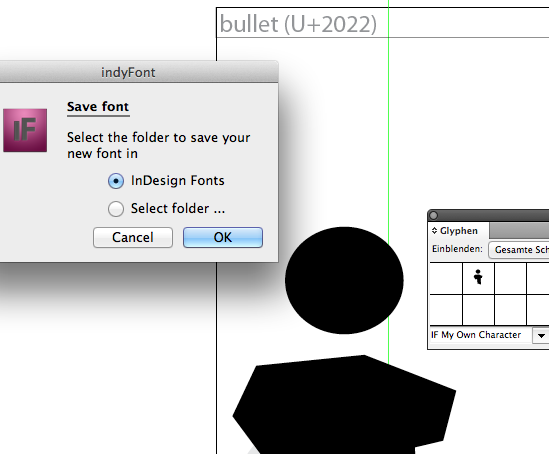
Yesterday I introduced "IndyFont" to the InDesign community, there might be some interested parties over here as well, both in practical use as in technical details :-)
IndyFont is a Javascript that runs under InDesign CS4 and newer, on both Mac OSX and Windows, and which converts vector art in an InDesign document to an OpenType font.
The prime target audience is Your Average InDesign User, desperately in need of a quick bullet, logo, or accented glyph. As such, operation has deliberatly been kept simple: run the script once, and it will create a template to draw your character(s) in. Run it again, and it will convert the artwork to a font, which you then can save in InDesign's own Fonts folder (enabling it only in ID itself), or anywhere else.
The free demo converts only one character; a full version is still somewhat of a Work in Progress, and will be a commercial product. The demo is downloadable from my site: indyfont_demo.zip. Unpack, move to your Scripts folder, double-click in the Scripts panel to run.
Technical information:
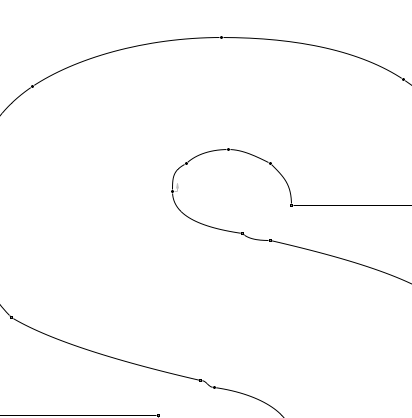
The script scans [Black] colored vector art, merging separate objects where necessary, and converts the resulting paths to OpenType Type 1 Charstrings. These are then dumped to a file, including all of the necessary OTF scaffolding.
The script contains the full Adobe Glyph names set per 2007, with the exclusion of the quite useless hundred-or-so Box Drawing glyphs, and the inclusion of the strangely missing "minussuperior". The name "Omega" is in this system mapped to U+2126.
Unicodes can also be assigned individually, and will then be validated against the set of 220 Unicode ranges per 14-Jun-2011 specs -- theoretically, it should be impossible to assign an invalid Unicode.
The given Font name is scanned for hints such as "Bold", "Italic", "Condensed", and "Expanded" (the full list of recognized font variants is longer), and usWeightClass, usWidthClass, as well as fsSelection/macStyle bits, are set to match. Thus, if you generate several fonts with the same base name but with different styles, software such as InDesign itself can sort the styles correctly.
Two fairly important things are missing: hinting (it's not too glaringly obvious for the occasional bullet or logo, but fonts intended for plain text suffer, of course), and kerning (the current input structure doesn't lend itself for easy input of kerning values).