Typophile

Vietnamese accents: beyond the Bbox.

Ray Larabie

When dealing with high Vietnamese accents such as:
uni1EA4
uni1EA6
uni1EA8
uni1EAA
uni1EAE
uni1EB0
uni1EB2
uni1EB4
uni1EBE
uni1EC0
uni1EC2
uni1EC4
uni1ED0
uni1ED2
uni1ED4
uni1ED6

There's a problem to deal with because the accents are vertically stacked. Usually when figuring out font metrics, I assume Aring is as tall as it gets and scale accordingly. But sometimes I later need to add Vietnamese accents. When I refer to Bbox limit I mean the highest point. In my case, it's usually the same as the Winascent and hhea Ascender.

As far as I know, there are 3 solutions:

1: Reduce the size of the entire font to allow for the high accents which will make the font look tiny compared to other fonts and in some apps it will affect line spacing. Not a great option when adding to existing fonts.

2: Squashed accents which don't exceed the Aring height. This can be acceptable for display fonts but not so good for text.

3: Go beyond the upper Bbox limits (usually the Aring height).

Some OS core fonts have Vietnamese upper accents which go beyond the Bbox limit. What happens to Vietnamese core fonts in various browsers? I assume the accents wouldn't get clipped. Do browsers pad the line spacing with Vietnamese the same way they pad superiors & ordinals? What are the negative consequences to exceeding the Bbox limit this way?

Don't forget (4): Increase the BBox size, along with os_2.usWinAscent and hhea.Ascender

Of course, (4) would result in increased line spacing in many less savvy apps.

But (3) will result in clipping in many less savvy Windows apps. Of course, you wouldn't "go beyond the BBox limits" exactly: you'd increase the BBox but not the os_2.usWinAscent and hhea.Ascender.

Cheers,

T

What are those "less savvy" Windows. Is there somewhere an overview about what app uses what value for linespacing and clipping?

Best
Georg

Outside of high end graphics apps used by creative professionals, the overwhelming majority of Windows apps clip to the WinAscent/WinDescent extents. MS Office does, at least through Office 2007.

Office 2010 still normally uses them to determine line spacing, not sure about clipping. There is an extra bit you can set to make Office 2010 pay attention to the Typo metrics instead, for line spacing. (What font geeks call “leading.”)

Regards,

T

@thomas, that's what I meant by #1. For me it involves scaling down by my fonts are usually squeezed into the OpenType vertical limits.

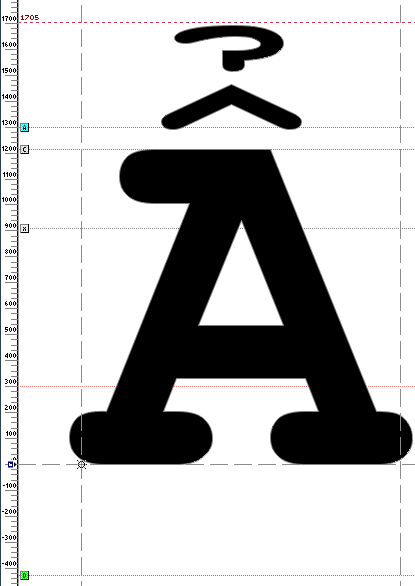
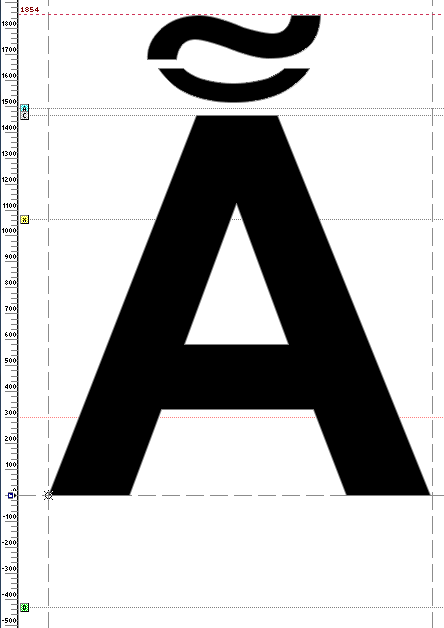
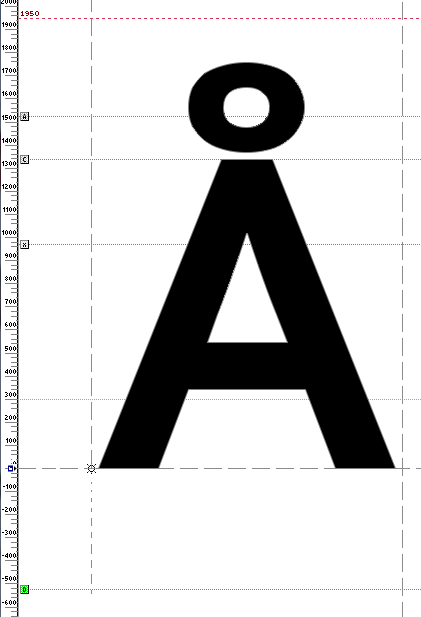
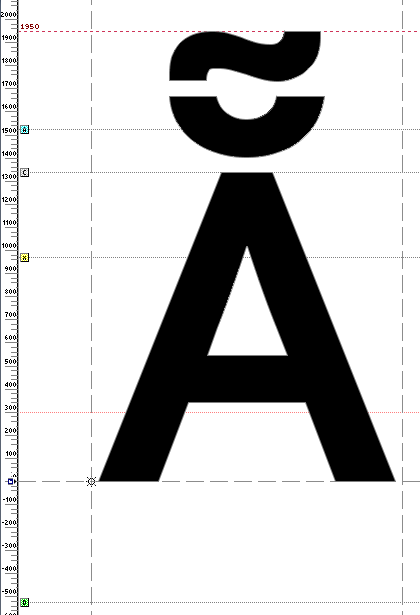
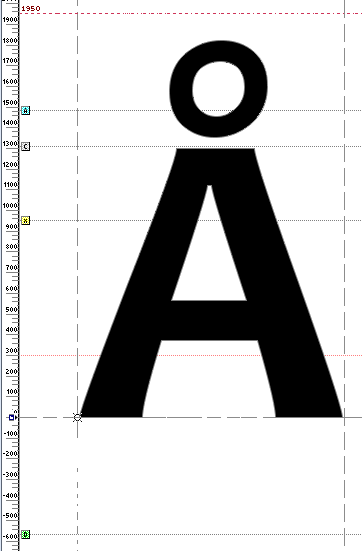
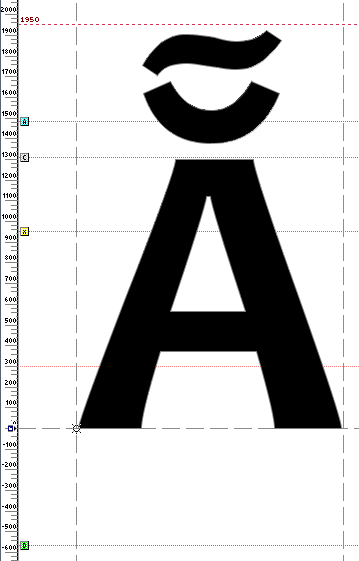
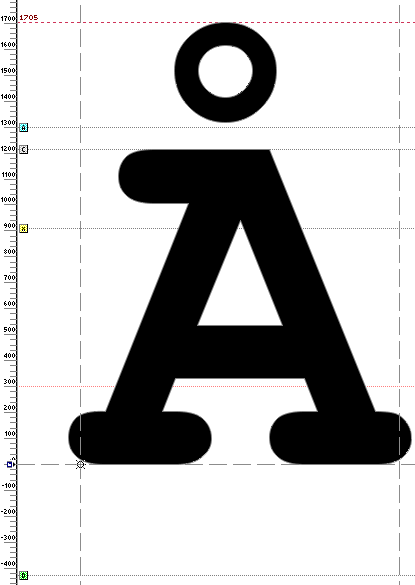
From an examination of Windows core fonts I get the feeling that the original fonts were designed without Vietnamese accents in mind. To retain the original vertical metrics, they had to squeeze the high Vietnamese accents. I put the red line at the Winascent so you can compare the Aring height as well.

Courier Bold

Arial Bold
The Aring was lower than some other accents.

Corbel Bold
This was probably designed with high accents in mind. I guess that's why it looks smaller compares to the earlier Windows core fonts. If I change my browser default to Corbel, I have to go up a point size or two.

Canadara Bold
Similar to Corbel

Not related to Vietnamese, but in lots of Core fonts, the Aringacute pops over . . . but nobody uses them anyway so it who'd notice?

So it seems like allowing for the high accents is the proper way to go unless you're adding to a font where backwards compatibility is a high priority. Has anyone seen Vietnamese accents that pop over the vertical limit? How about other OS core fonts?

I ran in the same problem when I needed to do Vietnamese for Dell. Steve Matteson (Ascender/Droid fonts) adviced me to reduce the height of the caps with the stacked accents, which I did.

Has anyone seen an example of Vietnamese accents exceeding the Winascent or hhea ascent limit?

Thomas: There is an extra bit you can set to make Office 2010 pay attention to the Typo metrics instead, for line spacing.

fsSelection bit 7 was already sort of supported in Office 2007, and could be used to affect the size of font names and samples in the font menu (which would otherwise scale the height of the win metrics to fit the menu line height), but within text it didn't really work as intended because Word would apply its own algorithm to avoid line clashes. I wonder if this has changed in Office 2010?

Jos: did you reduce the height of all the caps, or just the ones with stacked accents? (It sounds like the latter, I just wanted to be clear.)

John: Wow, time flies. I still had it in my head as "the next or most recent version of Office for Windows." Wasn't it just last week you and I were doing presentations about this stuff? But you're going to tell me it was 2006-07. Sheesh.

T

Thomas: But you're going to tell me it was 2006-07.

I remember presenting my analysis of the problems of Windows linespacing at ATypI in Prague in 2004. I remember it well because I was running late to get to the session, and thoughtlessly hopped into a taxi that turned out to be unlicensed, with a meter that counted up at an incredible rate and a driver who tried to give me Hungarian currency as change. At the hotel, everyone crammed into one of the small rooms being used for tech workshops, and many of us ended up sitting on the floor.

The 2004 context of the sudden urgency around the long practice of apps using OS/2 usWin values to determine default linespacing, although I couldn't say so at the time, was the MS Cambria Math font. We needed a way to get Word to scale to the Typo values in the font menu, because otherwise the Cambria Math font looked like it was about 3pt. Fortunately, Greg and Si and others at MS agreed that a general mechanism within the OT spec was a good idea, the other option being a font-specific hack in Word.

The other table version 4 changes to the OS/2 fSelection bit came later.

Thomas, just the ones with the stacked accents: ẪẮẰẲẴỄỖ

@John Hudson
fsSelection bit 7 was already sort of supported in Office 2007, and could be used to affect the size of font names and samples in the font menu (which would otherwise scale the height of the win metrics to fit the menu line height)

May experience is contrary to this, AFAIKC, Office is ignoring it both in the menu and in the main text, check my XITS font for example.

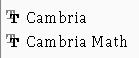
Khaled, this is how Cambria and Cambria Math appear in the Windows Word 2007 font menu:

This is with the fsSelection bit set. They are scaled the same despite the fact that their OS/2 usWin metrics are very different:

Cambria Regular
usWinAscent = 2075
usWinDescent = -455

Cambria Math
usWinAscent = 6383
usWinDescent = -5045

If the fsSelection bit is not set, the Cambria Math is scaled smaller.

But my font has set fsSelection bit set, proper typo ascent/descent values, yet win values are used in the menus, I'd be really grateful if some one can enlighten me what is wrong in my font.

Here is the relevant bit of OS/2 table as extracted by ttx:

<fsSelection value="00000000 11000000"/>
<sTypoAscender value="750"/>
<sTypoDescender value="-250"/>
<sTypoLineGap value="510"/>
<usWinAscent value="2598"/>
<usWinDescent value="536"/>

Captured from web.archive.org on 11 Apr 2015. view this capture