
I'm designing a "gig" poster and was wondering how you achieve this type of weathered effect. Does the designer use brushes or is it a silkscreening technique that causes the speckles? Or is it a little of both?


I'm designing a "gig" poster and was wondering how you achieve this type of weathered effect. Does the designer use brushes or is it a silkscreening technique that causes the speckles? Or is it a little of both?

On the first sample you can create a brush in photoshop that gives you that finish; In Photoshop CS4 which is the one I have now I found brush 59px or 39px that could give you that effect.
You can also draw directly in a piece of acetate with a sponge and create the effect to then burn it in a silkscreen and come up with a result like it.
The second one could also be a big brush in photoshop, but I could also think that if you
don't ink a silkscreen evenly you would have this result.
Hope this helps.
Patty
Good idea tip the sponge patty..I'll try that out.

Good lord.
I used to work my butt off trying to avoid effects like that :o)
silk screen is a visceral medium. You can create the exact effect you like digitally, or you can play around and you could come up with something magical, be it as simple as a dull and nicked squeegee, rough texture under your paper or some judiciously placed dirt on the screen...

The first sample is 100% screenprint; the speckles say Byzewski & Ibarra.
> technique
not just one: screen filler, block-out....
The second sample... I'm not sure; maybe 2 color screenprint: silver + black

Hi Daniel,
First one looks as designed that way.
The second looks like silkscreen made without the paint (clearance after work). Or it is a scan of faxed picture, or bad laserprinter printout. I vote for the latest.
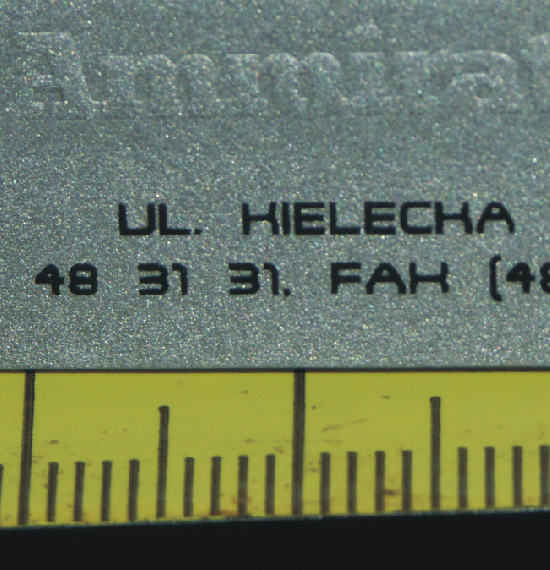
BTW silkscreen could be very accurate. Macrophoto of business card I made many yers ago (for Ammirati, Puris, Lintas):
Thanks guys. Great information. I wasn't aware of Byzewski & Ibarra until now. Very inspiring.
seconding JanekZ; yes, screen printing can be very accurate. I used to screen print tiny, tiny little circuit boards using a stainless steel mesh, and -not sure what to call them, but sort of like pegs on circuit display boards in hydro generating plants that had less than a thousandth of an inch tolerance. The registration was set with a micrometer and a magnifying glass.

The second one looks like block printing. (Though Janek is probably right...it does look like a photocopy on a copier that's almost out of toner).
Have an ink roller? ink it, roll it out on paper, scan it in, use it as a texture mask.
Captured from web.archive.org on 19 Aug 2013. view this capture