
Edit-Find or Command-F can help me find glyphs in the font window, but what's the easiest way to track a given glyph down in (a) my classes, and (b) my OpenType code, within Fontlab?
Edit-Find or Command-F can help me find glyphs in the font window, but what's the easiest way to track a given glyph down in (a) my classes, and (b) my OpenType code, within Fontlab?

I'd like to know this too. I recently had to just wipe all my classes and rebuild them because I could't find a problem glyph somewhere.

Me too!
One thing I've previously resorted to (and some are going to laugh at this) is mark the glyph in question in a really special color, which makes it easy/easier to spot in the Classes window.
Something like a Global Glyph Search function would be awesome.

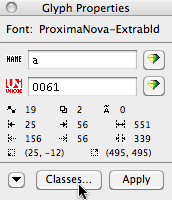
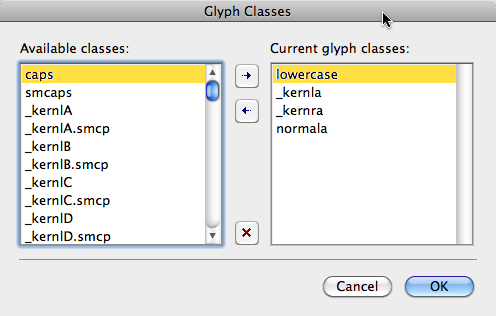
You can see what classes a given glyph is in by selecting the glyph in the Font window and then click the "Classes..." button on the "Glyph Properties" panel. A window pops up containing a list of all classes on the left and a list of the classes in which the glyph is used on the right. There are buttons that allow you to add or delete the glyph to or from any class.
For tracking down glyphs in OT code, the only way I know of is to copy or export the feature(s) to a text file and search using a text editor.
We newbies thank you Mark!
Captured from web.archive.org on 20 Mar 2013. view this capture