
This is something that has bugged me in the past. When I'm working with multiple masters in FontLab, and I'm creating a new glyph, or a new path in a glyph, there doesn't seem to be an easy way to transfer what I've done in one master to another. For example, let's say I've drawn this path in the Wt0 master:
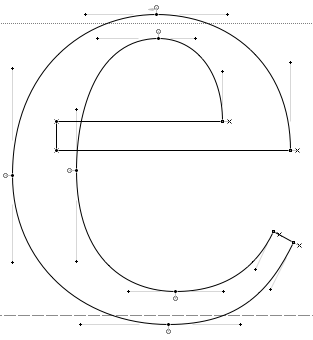
This looks good, but if I now switch to the Wt1 master, I get this:
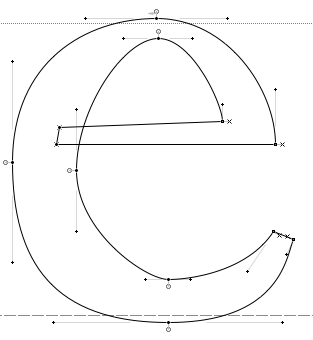
This path that is the result of the initial points I dropped when creating the path in the other master. Any changes I made in the other master are not reflected in this master, which makes sense. The whole idea of having multiple masters is for them to be different. However, I must now perform most of the same clean up I did in the other master to get this to where I want it. In the past, I would switch on the option to view the other master at the same time, like this:
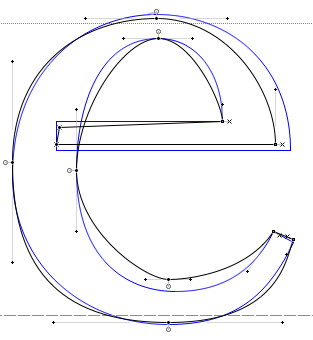
I could then use the other path as a guide when creating the version for Wt1. It works, but I could save a lot of time and effort if there was a way to make an exact copy of the path from the other master as a starting point. Unfortunately, FontLab doesn't seem to have any way to do this. However, last night I discovered a simple method:
1. Copy the glyph or path you want to duplicate in the other master.
2. Create a new (single master) document and create a new glyph.
3. Paste the glyph or path into the new glyph slot and then copy it.
4. Go back to the original (multiple master) document and paste the glyph or path into its original location.
The path on both masters will now be identical. Note that this will affect all masters. I don't know if there is a way to do this with some but not all masters.
There may very well be some other way to do this, or maybe others have discovered this trick, but I thought it was a pretty good solution and might be useful to other people.


