I am nearing completion on a display face I would like to offer in both a merged/solid option and broken-apart/two-layer option. I have generated the three font files (solid, layer 1, and layer 2) with identical vertical metrics. When I typeset text boxes on top of each other to test the alignment, layer 2 lines up properly on top of the solid font, but layer 1 is set at a slightly higher baseline.
Searching past threads, I found this post by Nick Shinn from a couple years back where a similar problem was being dealt with. However I could not find an answer. I have also tried John Hudson’s how-to on vertical metrics and Adam Twardoch’s guide in Learn FontLab Fast for setting metrics for type families but have failed to fix this problem.
Below are screenshots of the relevant Font Info metrics panels for the three fonts:
Solid
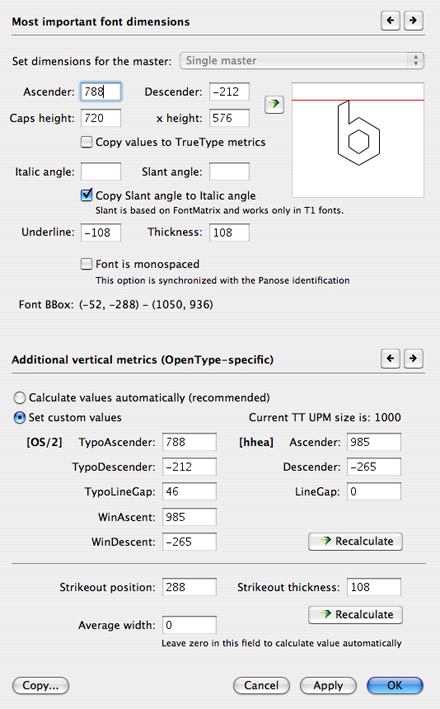
Layer 1

Layer 2
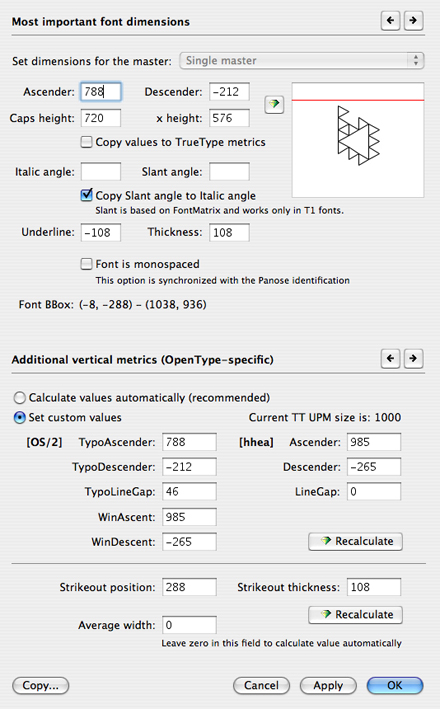
This screenshot illustrates the issue I'm facing.
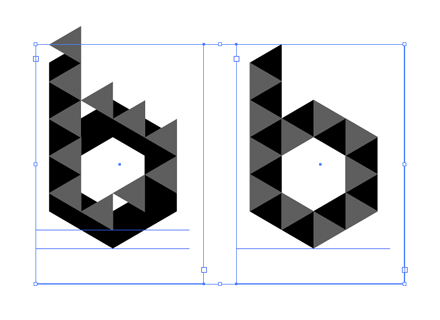
The left shows Layer 1 misaligned atop the Solid font; the right shows Layer 2 working just fine.
If anyone could throw me a technical life preserver on this, I would be greatly appreciative. Some notes: working with FL5 on Mac OS 10.4 (Intel); alignment problem occurs in Illustrator and Photoshop CS2, but not InDesign CS2; generated fonts are OT PS.
*hhea table metrics inconsistency has been corrected but problem persists.