
Does anybody know how to use Spiro on a mac?
It is possible to work like a FontLab plugin or macro?
I tried to run ppedit app with no sucess. Thank you!
Does anybody know how to use Spiro on a mac?
It is possible to work like a FontLab plugin or macro?
I tried to run ppedit app with no sucess. Thank you!

With fontforge you can use it.

Yes. With FontForge, not FontLab, as stated. You need to have X11 installed. If it's not on your Mac already, you can install X11 from your MacOS X install disk. libSpiro is a separate library that needs to be installed in addition to FontForge to make Spiro drawing mode work.
See the FF Mac installation notes for details and also install these dependencies
Thank you!
I will try FontForge
You can install the 'dependecies' (included spiro I think) here: http://sourceforge.net/project/showfiles.php?group_id=103338&package_id=...

I want to use Spiro as well. But somehow with no success. I have fontforge working on X11 but can't seem to work with Spiro. I am attaching a screen shot of the active area in Spiro.
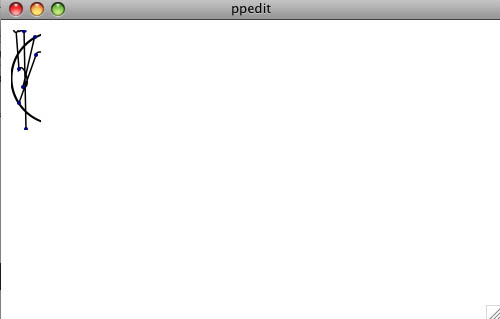
Yes!
Same issue here on Leopard 10.5.4. I can't export too…
Raph may have to chime in on this. I recall ppedit has the save feature somewhat oddly enabled. Is FontForge not working for you either?
Fontforge is working perfectly, on my computer, I've already started some design projects on it. But I can't seem to work with the Spiro. Although I remember using it once with my powerpc laptop on an earlier OSX. I discovered the active area only today actually, a tiny rectangular area which pen can work. Seems very odd...
So that difficulty is with Spiro drawing mode within FontForge, or in the separate ppedit application?
I think we're talking about two different things here and it's confusing.
I haven't yet tried FontForge on an Intel Mac, so I can't really speak on that issue.
I meant the ppedit application.
ppedit's functions are very limited. It's a demonstration of the Euler/Cornu spiral drawing concept, not much more. It can be used for font production in a roundabout way. Raph Levien has done this himself, but he wrote the thing and knows stuff about its inner workings I can't tell you.
If you're trying to use it for font drawing, it's much easier to use Spiro mode in FontForge instead. ppedit's rendering is prettier, though.

It is possible to use ppedit (it's how I did Inconsolata), but it's not for the faint of heart. You use ctrl-S to save (to a file called "plate"), and ctrl-P to convert to PostScript outlines (to a file called "/tmp/foo.ps"). I used additional commandline tools to import the PostScript outlines into FontForge, as well as to optimize them to minimal Beziers. Some of those utilities also ship in the spiro distribution.
These days, I'm more inclined to use FontForge's spiro drawing mode. I am frustrated by the UI clunkiness, and by the lack of rendering quality, but having the curves right there in the font instead of having to do conversions is a pretty major win.
At some point, I want to get a good, usable, and pretty editing environment out there, but I don't have much time for it right now, juggling too many other things as it is. I'm most inclined to do it in in-browser Javascript, as browsers have finally gotten good enough to pull that off, and it's truly cross-platform. I'm not inclined to do much further development on ppedit, unfortunately - it would take a lot of work to make it into a real tool.
I'm glad you guys are enjoying experimenting with Spiro.
Yes Raph. I tried FontForge and it works good but is not very comfortable to me. The rendering quality is not very good also…
But it's very powerful work on Spiro!
http://www.youtube.com/watch?v=rmxUJ_R_ySM
I only want to say that I have found that the development builds of Inkscape works with spiro.
It is very good. You will need X11.
Hope that be useful.

The new inkscape (0.47) has spiro support…
Captured from web.archive.org on 20 Oct 2013. view this capture