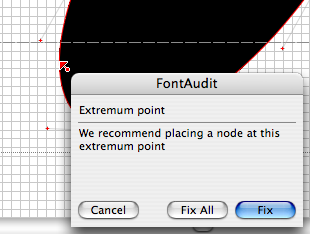
I have a very basic typeface built in FontLab Studio that I've been having trouble with. (Based on a simple grid, composed of simple four node dots)
I've exported and tested plenty of OpenType fonts with much success, yet this particular font/file seems corrupted.
I've tried everything, from cutting and pasting into a new .vfb file.
Going over all the OpenType features, classes, kerning, metrics, font audit, ligatures, etc…
I've deleted all the kerning info, class info, and OpenType features just to see if the problem would be on that end of things and generated it still without success.
I've gone through the font naming, dimensions, encoding and unicode, and etc…
The Output panel reports NO errors.
I've even sent it through the Fontlab tech support only to have the suggestions not render it a success.
It is a 2000 UPM font, but I've generated plenty that have worked exceptionally, I even changed it to 1000 just to try it at that UPM with no success.
THE ONLY THING THAT HAS WORKED which has allowed me to generate a working .otf font file is to delete about a third of the glyphs in my .vfb file which incidentally deletes the alternate characters and extended ligatures as well as numerous other standard characters.
At this point I'm completely baffled.
There's nothing in FontLab Studio that I can see or do that indicates a problem so I'm at a point that logically I don't know what else to do our how to continue troubleshooting.
The message reported when importing into FontExplorer X and Fontbook is as follows.
"A problem has been detected with the font Output S Regular, in the font file /Documents/Reserves/09-Output/Output S-Regular.otf. The system will attempt to disable this font, but to avoid future problems, you should quit all of your open applications and remove this font file or replace it with a new version."
I would love to have someone like Adam T. take a look at the files even if it's just to get closer to what this problem could be as not having an answer is really bothering me.
I'm almost at the point of just abandoning this particular font altogether and moving along but I'm really curious what this could be… trouble shooting is usually a simple, and pretty painless process but this has been out of control.
Anyone have any suggestions?
Thanks,
Mike