Hello everybody,
I am new to this forum and I have to mention I do not have real knowledge in typography.
I became very interested recently in learning about font rendering on screen (LCD) and I have been trying to find out if there is any method (besides Cleartype) of displaying crisp and good looking fonts on the LCD screens. One aspect that I dislike is the fuzzy appearance of fonts that can be seen for instance even in Acrobat products.
Problem: I am trying to find a way to get fonts to display as sharp as possible on an LCD screen.
Question: As I have no experience in this field I would like to get some feedback and expert advice on whether the approach I am using now is worth pursuing.
Examples:
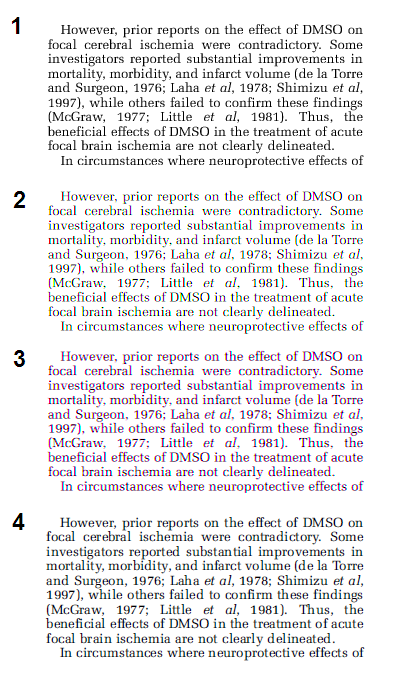
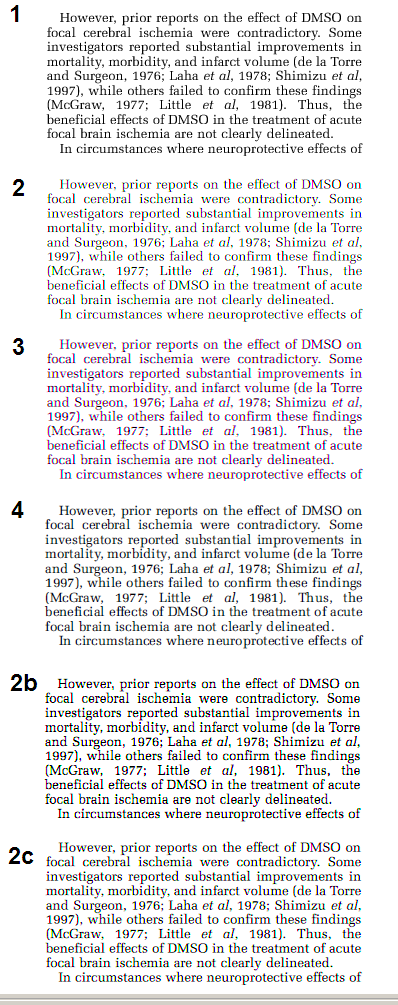
The Above Image shows a piece of text (Pdf File)rendered using:
1) Ghostscript (antialiased)
2) Ghostscript (antialiased) + modifications: method 1
3) Ghostscript (antialiased) + modifications: method 2
4) Adobe Acrobat reader 9
I am aware that the modified versions 2, 3 have some major problems (on some LCD screens there might be some serious color fringes).
Nevertheless I would like to get some expert advice on whether the approach 2 or 3 have any chance at improving text appearance or readability. The goal here was to get the text look more crisp (like you see it in print), eliminate unequal widths of font stems and gray shadows for stems.
Thank you in advance for any advice.