
Need a proper size monitor for home — 23 inches or so.
Apple prices make my eyes water.
What would you recommend?
Need a proper size monitor for home — 23 inches or so.
Apple prices make my eyes water.
What would you recommend?
(correcting my own grammar)

I picked up this one not to long ago, not the best by any means but can't beat the price. I have been pretty happy with it.
Cheers
p@

It’s super with my mac pro.
http://accessories.us.dell.com/sna/productdetail.aspx?sku=320-4335

I'm using the new Samsung 23" and am quite happy with it. I use a 2-monitor setup. My laptop serves as my jukebox and chat window.

I use a 24" Samsung and I'm about to upgrade to the 30". This is my second Samsung monitor and I'm extremely happy with it.
You samsung people, how do you find it for colour fidelity?
sebastian, same question to you with the Dell, about colour, and have you ever thought the ultra sharp was artificially over-sharp? yes no?
thanks
Whenever this stuff gets discussed on the InDesign mailing list, there seems to be a general consensus that the Dell UltraSharp line has outstanding quality at a decent price. At least until recently Dell and Apple used the same suppliers, so you were getting largely the "same" monitor for a big price differential - I assume that's still true, but haven't heard on that point lately.
Personally, I don't want to buy an external monitor whose resolution isn't at least equal to my laptop's built-in screen, so currently that's 1920x1200, which is what the particular Dell linked above has. But for now I'll stick to my old 1600x1200 CRT monitor. It works well enough I can't justify spending the money to replace it, even though a higher-res LCD screen would be HOTT.
Cheers,
T

One problem noted with the Dell monitors on the Adobe PS board is that they are wide gamut, making color matching particularly testy for web work.
pbc
Dell seems worth checking out, and perhaps can be calibrated away from weird colour settings.
thanks all.
Pretty extensive discussion here on a wide gamut monitor (with plenty of color management thrown in):
http://www.adobeforums.com/webx/.59b4e24b/2
pbc
Thanks Paul. Cartoonish is right. Plus, what a lot of work outlined in the threads. Compared to plugging in an apple display. yikes.
I brought my laptop to Future Shop yesterday and hooked it up, calibrated it as best I could, it was still over-saturated. It wasn't an Ultra Sharp, but I don't know about the Dell idea. Maybe you do get what you pay for, and after working on cinema displays this long, maybe I'll always be bugged by the differences. :(
thanks everyone.
Urm, you need to calibrate a display even it's from Apple, no? At least if color accuracy is important to you.
Cheers,
T
yep, you do. this isn't a mac-pc thing, lets not go there. its more a matter of where I can get respectable equipment around here that isn't apple. since that isn't a type thing, I'll figure it out. :)

the apple 23" is a stunning screen and to be honest even in the uk at £400 ish its a pretty fair price.?
ive not come across anything as - plug and play for sharpness and colour.
but i'd avoid the 20" version - we have a couple in the studio and compared to the 23's they are like working in a grubby fishtank.
cheers
J
Solved!!
I am now the owner of 2 Macs! Hee! I just bought the 24" iMac, which has gotten delicious reviews. And now my laptop can be a kitchen computer!
Now to explain it to the husband. :)
"like working in a grubby fishtank"
lol!

Patrick,
Does your Acer monitor work on a Mac?
ChrisL

I just purchased a 28 inch ViewSonic for my Mac Pro which has a paired 19 inch Samsung monitor. When using InDesign I have plenty of room for workspace and room for all the tools and preference windows. The two monitors work well together.

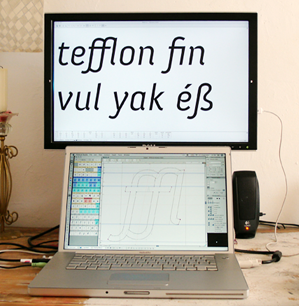
I'm using an 20" Dell in a (vertical) 2-monitor setup together with my MBP, but I'm thinking about buying an 24" (Apple or Dell). Color isn't that important for me. I only use it for type design.

The Viewsonic monitors have a good color accuracy.

Just got an 24'Imac. It has been a perfect work space!
(i was used to my 17'powerbook, now the iMac screen seems endless)

i have found samsung color space to be consistently inferior for volumetric 3D work. i would avoid them. apple LCD's look best to my eye but offer too few calibration options. the glossy screen is also a bad idea. go for non-gloss if possible.
see also:
"Patrick,
Does your Acer monitor work on a Mac?
ChrisL"
Sorry Chris I have never tested it on a mac.
Although I don't see why not, I use a mac at work and we use a hanns G monitor with about the same hook ups and specs. Probably more of a video card question.
p@
Captured from web.archive.org on 16 May 2013. view this capture