
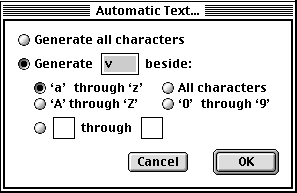
Hello everybody, a couple of weeks ago I was chatting with Claudio Piccinini and he showed me a (working!) copy of FontStudio, the mythical Letraset font editor from the early nineties. He was taking me through the features he used to love the most and at some point he showed me Automatic Text, which was basically a generator of preview text sequences of characters, useful for checking and editing your font spacing/kerning.
This was the original window:
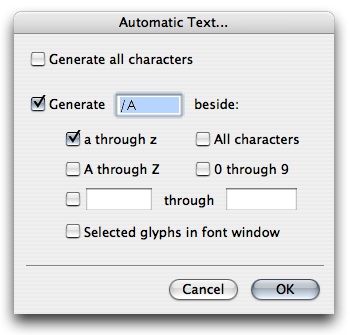
I then set out to reproduce the same behavior, which I found very useful, in FontLab Studio via Python. It took a while to find a way to write to the metrics window (FontLab’s Python documentation is terrible) but eventually:
This is the end result, using the command “Generate h beside all characters”:
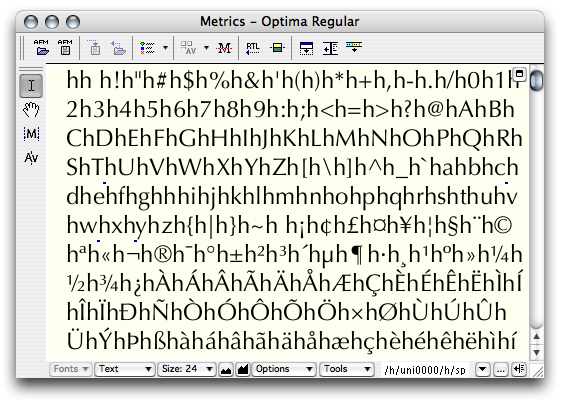
I think it’s very useful, but I’ll let you be the judge on that.
Get Automatic Text: You can get the code, with installation instructions, over here: automatic_text.py (or you can read the source code online).
Comments and ideas are welcome. I developed and tested it on my copy of FontLab Studio 5.0.4 on Mac OS X 10.4.9, if anyone could test it under Windows that would be awesome. I couldn’t find a way to produce radio buttons via the FontLab Python API, so I had to fake them with checkbox controls, which is suboptimal because it’s not their default behavior.
Known issues:
- At the moment you can only enter either glyphs in the range
[a-zA-Z0-9]in the text boxes, or the glyph names with the/namenotation;
That’s it, I hope this helps people with their metrics/kerning development. Cheers.


