

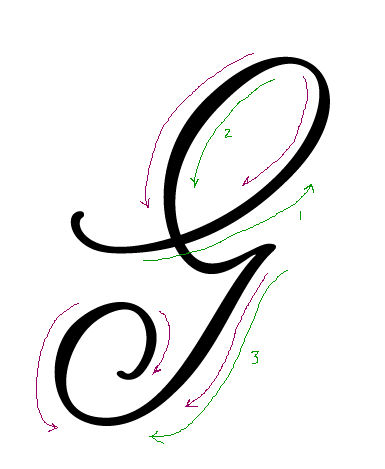
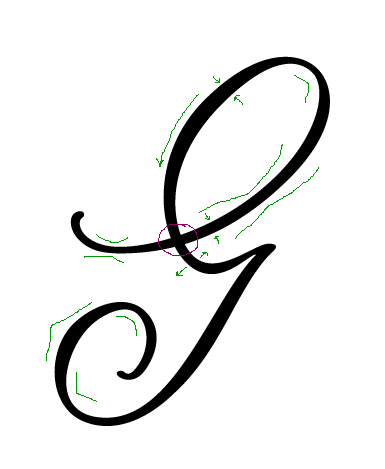
The same glyph done with curves whose handles extend [1] at 45° and 90° angles; and [2] the way that felt good at the time.
I'm new to digital type design. The above is in Illustrator. Could I get the advice of somebody with a lot of bezier curve experience on what works best for them? I'm open to even the most upbraiding comments, including 'Don't do it in Illustrator'. (Maybe you could do even better.) I took some time to create outlines of some famous type and look at it, but it seemed so full of anchor points.


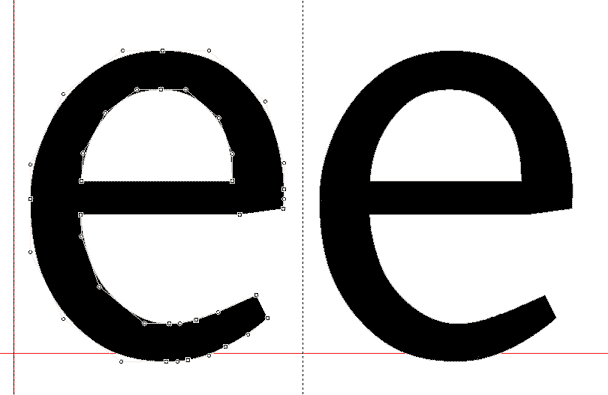




I've never heard of that. So should nodes at extreme be avoided, or what are you doing differently to guarantee proper rendering?
Also, can someone tell me what you consider to be the great benefit of doing your design in FontLab Studio? I sometimes do slight modifications in FontLab but haven't gotten used to it as a standard design program. I do my typefaces in Illustrator and then drag the design into FontLab. In Illustrator working with guides is easier to me, and I can zoom in further into the design to fix details.
My first attempt at a serif typeface years ago was rather disastrous, I believe I spent over 120 hours on it and I learned tremendously, but in the end I realized my way of handling nodes was very bad, and if I wanted to use the design at all I probably had to re-do each letter. I never actually tested what effect this way of handling nodes has. Can someone tell me what would happen to the first design David Sudweeks posted here? Does anyone have examples of the effect of handling diagonal beziers?