
I've been using zip drives, and have been having trouble with them breaking and not storing info right,
but now I' shocked to see you can get 160 GB [!!!!] for only $100. My computer only has 60 GB.
Is this right?
Anyone recommend them?
I like this.
I've been using zip drives, and have been having trouble with them breaking and not storing info right,
but now I' shocked to see you can get 160 GB [!!!!] for only $100. My computer only has 60 GB.
Is this right?
Anyone recommend them?
I like this.

I loved to play with Lego.

I've got one of LaCie's Porsche 250 GB drives and will be buying a second one soon -- they're great.

Lacie are nice, look nice, but are expensive.
Actually, the don't have anything other manufacturers don't have too, except knowing you have a "lacie", and nice design, and paying for this. They use the same components, others will work just as well.
100$ for 160gb are quite expensive. Look at the 320gb model. It's just 40% more expensive, offering 100% more space.

I picked up a 320GB external for $80 CDN (which is like $0.02 USD - OK not really) when it was on sale at Future Shop. The brand is I/O Magic, which I've never heard of, but it works, so who cares?
- Lex
I've been burned far too many times with no-name drives: paying the extra money for something that has never broken down on me (I've had a succession of LaCie drives for 20 years) is worth my peace-of-mind.
I think I got a Lacie a few years back, 250 GB for under $200. . . can't remember. . . just bought a Western Digital 1 TB. . . I was Lacie friendly firt, hesitant at WD because I had seen cheap models. . . You want to put your money into saving your work right. But yea, the TB was considerably more, and it's there top of the line. I had a Maxtor 500 gb that went bunk after a few months, only thing that ever happened to it was it gettin bumped on my desk. . . It would register on my computer (mac) therefore losing 500 gigs worth of music. Ive still got it just not sure how to fix it.
I guess the only thing you should look into is the warranty. I never use the software that comes with them. . . I have my own regiment of back up to various locations. I spit all of this out because I have lost tons of stuff with my comp crashing and reinstalling the os.
Cheers
James
I use a 60GB 7200rpm laptop HDD with an enclosure.. Slightly pricier than a regular external HDD but compact enough to fit in a pocket. :)

Where's the type?
hhp

The type? It's all over most HDs. Very small type, for that matter. Usually instructions on how to set it as master, slave or auto. For internal drives, that is. On external ones I guess on the bottom, with safety instructions mostly.

I agree with Linda; Lacie drives are great. My primary backup device is a 160GB Lacie firewire drive.

Personally, I use Iomega external HDDs (I have several, I take one on photo shoots, I use one on each of two main computers as external backups, and a spare). I've never had a problem with one. For about $185US, you can get a 500GB drive.
Maxtor and Western Digital both make a range of HDDs, from consumer to professional. If you buy pro, you get pro quality.
James, if your Maxtor is still registering, and the bump is the only thing that happened to it, it's likely a mechanical failure, and not a media failure. That's fixable / recoverable (although perhaps at a price, of course). Have you contacted Maxtor?
I've had several hard drives crap out on me, including a Maxtor.
I was told the LaCie d2 (not the Porsche) was the most stable so that's what I bought. They cost more, but it's worth it not to lose your files.
Anyone know how LaCie is pronounced? Is it frenchy sounding as in La Sea or is it Lacey?
la SEE. ;-)
That's how I've always said it, but I've heard the other (lacy) too.

Where’s the type?
Oh, come on. Don't you want to read what people who are into type think about different hard drives? :-)
Well of course not. Especially since fonts are so small in filesize.
Even people's opinions on chocolate would be more interesting to me.
hhp
Ooh baby let's plug your hard drive into my firewire port, whaddaya say? Then we can float off into the ethernet... or am I being too SCSI?

I have two LaCie Porche drives. The older and smaller got confused or something and only through hard work and a bit of luck I managed to save majority of the files. Luckily most of the stuff was backed up in the other one. So my advice is, never trust just one back up method, have at least two (if not three including DVDs).

http://www.amazon.co.uk/Hard-Drives-Storage-Computer-Peripherals/b?ie=UT...
I've had a 500 GB My Book thing that works fine. and it's about £89 plug and play on Windows and Mac (Mac you need to restart for it to see it)
LaCie are OK and they look pretty but don't be fooled into thinking the actual hard drive is any more reliable than any other brand. They don't make their own drives, just the pretty case.
they all die.
anything you have on a hard drive should be backed-up somewhere else – I know too many people with external hard drives as their main storage, with no back-up of that data (do they think the external drive will last forever?)
So, presuming you have everything backed-up, the one thing that would sway me when I choose a hard drive is brand warranty.
Seagate offer internal 'Barracuda' drives with a five-year warranty.
Western Digital offer the My Book Pro with a three-year warranty (other versions of the MyBook range have one-year warranties).
most other brands offer one-year warranties.
These warranties don't stop them dying but they will get you a new drive if they do (and if everything is backed-up it's not such a problem)
Did I mention how important it was to back-up your back-up?

I have never really cared for dark chocolate. I enjoy milk chocolate or even white chocolate more.
My father always liked dark chocolate, but I have the suspicion that this was because he knew he wouldn't have to share...
And I just bought a MyBook 500g at Costco for 169.
The dark chocolate, do you bite it or roll it in your mouth?
hhp
it's a mystery to me.
some chocolate is imprinted with type, though.
No, I meant you.
Because if it's the former I will come over and demand reparations.
hhp
To be honest, I'm not really that fond of sweets.
But type is interesting.
Maybe we should interject chocolate into every topic here...
EULA: Your Chocolate license allows distribution of baked items with embedded Chocolate to unlicensed users subject to the condition that the Chocolate must be subset embedded and the baked item must be set to no editing.
FONT ID: What fonts are used in this: http://justinblanton.com/misc/kenyon-xmas-chocolate.jpg
Design: Please critique my chocolate font: http://www.linbridgedesigns.ca/images/products/ch-cl.jpg
Our local choco shop backs up their computers, I'm sure.
Their champagne truffles rule!
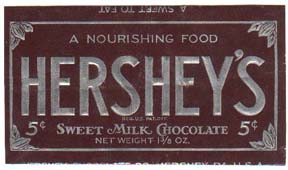
One time, I accidentally stuck a Hershey's bar into a zip drive. I think that probably happened a lot.
If Emigre sold chocolate the wrapper would say
you're forbidden from embedding it in recipes.
hhp
Emigre's chocolate EULA would probably tell you exactly what you can eat it with too.

Lots of audio and video pros use drives from Other World Computing. Storage is so cheap now that I have 3/4 of a terrabye hooked up to my laptop.
As for chocolate, dark all the way. Sans nuts or fillers. It's Seriffic…
peace

I was actually just eating chocolate. Dark with hazelnuts.
But back to the harddrive question: do you like caramel?

Just to chime in with others.
Two separate kinds of media for back ups if you're serious about protecting your data... Lacie's use the EXACT same drives as the cheaper brands, what you are paying for is the design. Which is very nice, but don't confuse it with dependability.
> do you like caramel?
What a disgusting thing to ask.
Figures, from a guy who doesn't like sweets.
hhp
I read most, but not all comments - however you might be able to save money by buying a HD enclosure and an internal drive. I've had countless friends tell me this is the way to go over paying for an actual external.
There is no real difference in price. All my old computers drives are now in enclosures - that's the great thing about it.
The ATA drives from my old G4 (which won't work in the Mac Pro's) are now in Firewire 800 enclosures - fast as heck. That's the other thing, if you have a Firewire 800 port on your computer it is MUCH faster than Firewire 400 or USB 2. Enclosures with the Oxford 912 chip (which has FW400,FW800 and USB2 ports) are about $99 at Other World Computing.
And as for caramel - anything that dilutes chocolate is a sin… :)
peace

Don't forget Fred Goudy--he lost a lot of his original designs to fire in '08, then again in '39.
I use giant Firewire drives too, but mainly to keep a clone of my current drive. I also back my files up to DVD which I keep in a different physical location.
I had an internal hard drive crap out on me too. Problem with that set-up is that the computer went crazy trying to figure out what was wrong with it. Easier to have an external IMHO.
And back up twice, yes. Completed jobs onto CDs or DVDs as well as on the computer AND an external. Jobs in progress live (in various states) on both the internal and external hard drives. I learned the hard way.

My reccomendation is for the Mercury Elite Pro.

Yes! An external HDD will change your life. Much the same way that the old 80GB firewire drive changed mine about three years ago... and my other vote is for the dark chocolate 'sante' bar by Whittakers of NZ.
I have two of the Lacie mini Porsche drives. Both work great. I used a 30 gig last year for a project (I think) and recently got an 80 gig drive for a big project. One tip. Even if it comes preformatted for Mac or PC, reformat the drive on your computer before you start using it. I used mine with the built in cross platform formatting and it was a little wonky. File creation dates would be wrong, and preview icons would be switched/missing. Very confusing. Once reformatted, they work perfectly and reliably. Very fast and very lightweight.

Mercury Elite Pro.
Me too. I have had bad luck with LaCie. It seems to be just me. But I won't buy them now.

My book from Western Digital is a good option too, at low price.

What "An Accident" said: they all die. Google did a great study that confirms this and fills in lots more detail. If I go to bed without my work rsync'ed or stored in a version control repo on a remote machine, or burned to CD, I don't sleep as well.
You can't buy a hard drive that won't fail. So buy a cheap one that will fail, and design your work practices so that when it does fail, it won't impact your life.

I keep a Maxtor 120 Gb (Costco) hooked up at all times, and then every three months I do a back up of all recent files to a Simple Tech 120 Gb (Sam's) that I keep in a fire-proof safe.
I always thought it sounded strange (and pathetic) that someone claiming to be a professional whines in some group that he had lost all his fonts and files, because he had never backed up. It makes complete sense even for us amateurs, since backing up is a good way to ensure that Murphy leaves you alone.

I think it is true, as someone mentioned, that LaCie doesn't manufacture hard drives as much as it packages them. Very good connections, fans, housings, etc., which contribute to long life. I had one for over nine years, long past its usefulness, and it never failed.
Also it is true, to a degree, that it doesn't matter what the hard drive is designated as, SCSI, ATA, SATA, FireWire, USB, eSATA, it is only the connections that make them what they are, so yes, you can house whatever externally with the right connectors.
I run my internals off of a multi port hard drive controller card and use FireWire for externals. I use an internal drive as the main system and everything else drive, a second as a scratch disk, and a third as a document backup. The externals are all full drive back ups, including a portable (OWC Mercury) and a large multi-partitioned (for sequential back ups).
SuperDuper (a cloner) is great for backing up everything to the external drives, quickly and reliably, and has saved my butt a couple times now.
The word of wisdom with a drive is, "not if, but when" it will fail. And yes, back up your back-ups. Likely, your whole creative, and in some case, financial, life is on these drives.
Gerald
fredcastle
To get back to you. Those old Syquest and Zip drives and disks were a god-send, and quite costly. Today, you are far better off with an internal/external hard drive combination, plus DVD/CD-ROM back ups. Don't necessarily recommend the latter for long term reliability, but, can't hurt.
Gerald
Captured from web.archive.org on 11 Oct 2013. view this capture

