Typophile

Thanks to CS3, I can now KNOW one icon from the next! Thanks Adobe!

Chris Lozos

Thanks to Adobe’s latest release, I can now actually tell all their programs apart! I just loaded my newly arrived CS3 suite. Miguel a while back posted some previews of the new icon system and I am pleased to say I LOVE the new system! With a very quick peek at the dock, I can instantly launch the Adobe app I want without having to figure what the butterfly/flower/whatever business is all about. It is now just, BaDaBing, right there! WHAT A PLEASURE!

So Miguel, I don’t know who was smart enough to make the decision to go that way, but buy them a beer for me! BRAVO!!!

ChrisL
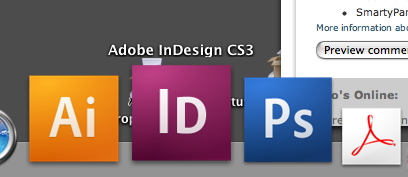
Looking forward to getting my upgrade!

But... ummmm... I’m sure you meant “a very quick peek at the DOCK”... didn’t you? ;-)

Maybe he did.

Maybe he didn’t.... ;-)

The cock does look nicer now, doesn’t it? ;)

Real Life Conversation with Chris

Chris: Dude, the new icons for CS3 are Da bomb.
Me: Really man, why?
Chris: Fo’ sho, a quick peek at the ol’ cock and blam instant photoshop.
Me: Did you just say cock?!
Chris: Dock Fool, I said Dock
Me: Sure ya did.

Chris, punching me in the ribs: Gotcha!

End Scene

Yay for post-announcement upgrades! My CS3 upgrade will cost me a whopping $5.

Pfff, $5? That’s just too much. ;)

The icons certainly are an improvement in their (relative) simplicity.

But to change the subject a bit: If anyone’s using the new CS 3 programs on a G5 (or other PPC-based) Mac, how does the speed compare to the CS 2 versions? I’d be anxious to know especially if they’re really slow (edit: though that’s not what I’ve read so far regarding PS).

Olli

Now Otis, what was I tryin’ to say? Sing it for me please!

ChrisL

PS: NEVER trust spell check!

Quickly moving right along now past my red-faced embarrassment and fat-fingered lack of typing skill :-/

I have one of the original PPC G5 2ghz desktops and CS3 is actually FASTER!!! than its predecessor! So don’t sweat it, just get it! It is quite snappy!

ChrisL

PS: Now I better proooof read this puppy quick!

But back to the earlier conversation, I worked on a cookbook that had been translated from French to English (I did only the cover design). There was a recipe for coq au vin. The first instruction read “First find your cock. The cock meat should feel firm to the touch.”

We got a lotta laughs out of that one.

Patty,
LOL! You definitly win the prize for that one!

ChrisL

I’ve been using CS3 exclusively for a couple of weeks now, it really is a killer update. The new icon system is killer; I have yet to launch the wrong app. And talk about performance, it’s a pretty impressive performance tweak, at least by Adobe standards. All the DP apps are rock solid stable too.

Of course, I’m still pretty ticked that getting this requires an expensive update with few new features that can justify the price. If Creative Suite had been published by a video game company, as opposed to Adobe, the performance overhaul and stability fixes from CS2 and CS3 would have been a free patch. If I actually had any money I would establish a fund to try and bring Inkscape, Scribus, and the GIMP up to par with Adobe’s apps so that we could stop having to buy upgrades just to get bugfixes.

I don’t know how Jpad got his copy so early or how Patty swung the deal for 5 bucks but I am jealous on both counts!

I do wish there was more Opentype support in this rev though. There are some added dictionairies and some type related interface changes which I am not sure are better or worse until I give it some time.

ChrisL

For me, CS3 appears to be a more-power-for-mac-users update, which is very okay of course. Me Windows-User will wait for CS4. Updating is too expensive for me now.

On the icons: It’s long time I have abandoned the original butterfly-flower-feather icons and changed them for my own versions.

I don’t particularly dislike the new icons
I see the purpose/function
though its kind of peculiar to me, going from an image to 2 characters

if you launched the wrong app before,
how much attention were you really paying?
(maybe i’m a little bitter, i like pretty pictures)

“how much attention were you really paying?”

Much more than any user should be required to and MUCH more than with any application I have ever used since 1986. I have used the Adobe apps since they hit the streets on day one. I was quite able to figure out which was which untill they started the CS naming series. I use these applications every day—practically all day. When I am working in a fury trying to meet a deadline or keep a train of thought, I should not be impeded by a cryptic icon system. If I wanted pretty pictures, I can load my desktop with them. To me, the previous picture icons were like trying to read my tax forms in Bickham Script with swash and all the frillies turned on. It might look pretty but is a pain in the aß to read. Thank heavens Adobe saw the light and made their icons readable.

ChrisL

>When I am working in a fury trying to meet a deadline or keep a train of thought, I should not be impeded by a cryptic icon system.

Ignorant question, but does the Mac have an equivalent to the ALT+TAB shortcut on the Windows application bar? I’d not think to use the mouse for switching between apps.

I can’t tell you how many times I opened InDesign when I was going for Photoshop. I had to separate them on the dock.

The $5 upgrade: three words “post-announcement upgrade”. I am indebted to Paul Cutler for tipping me off to this and saving me $440.

Ignorant question, but does the Mac have an equivalent to the ALT+TAB shortcut on the Windows application bar? I’d not think to use the mouse for switching between apps.

It does, and that features allows me to disable expose and get more hotkeys in Indesign.

That shortcut is Command-Tab, where you just hold the Command-key and Tab thru a list of open programs (with Shift to modify the direction you tab in). I like that you can do this with your left hand, freeing up the right for mouse action.

Ignorant question, but does the Mac have an equivalent to the ALT+TAB shortcut on the Windows application bar? I’d not think to use the mouse for switching between apps.

Yes, but it only shows applications that are running. To start one up, the usual method is to go to the dock.

I love the Photoshop CS3 beta and I’m on windows. Getting Dreamweaver and Flash with the Design Premium upgrade makes it pretty economical.

I’m with you on the icons, Chris. I think they are great.

I just hope there is an osmosis filter for Illustrator so I can get a lot better with it.

Sharon

If you used a little app called Fruit Menu, you could setup a contextual menu with your apps and you’d never have to visit the dock again.

ChrisL

“I have one of the original PPC G5 2ghz desktops and CS3 is actually FASTER!!! than its predecessor!”

Thanks, Chris! That’s so good to hear. (I have a late dual 2 GHz.)

(Sorry for changing the subject – again!)

Olli

Here’s a link to a set of updated CS3 icons with a little more character...

CS3 Icons

So now there is a set of arty replacement icons for those who want them. I am happy and proud to stick with the set that ships with CS3 from Adobe. “Different strokes...”

ChrisL

Not a problem at all, Olli. Enjoy your upgrade!

ChrisL

When I first saw the PSCS3 icon I thought it was a beta icon. It looks like an unfinished icon project to me.

I’m going to wait to upgrade since it’s too f’in expensive in the UK. It’s priced at almost double the price and I’ve already bought the (PhaseOne)Capture One Pro RAW application.

Adobe CS3 Design Premium (upgrade) is: $599.00 (US) but $1199.49 (£599 +VAT) in the UK.

Why is it so much more in the UK? Is there some kind of import tax or something?

ChrisL

I guess American company accounts can only add and can’t divide or multiply so they use the same number $599 and £599. But it’s really £703.82 since you can’t escape the VAT. ($1409.70) so It’ll cost European companies hundred thousand more.

There is no import tax most US companies have Irish or Euro Sales/shipper places. Compugraphic had a place in Shannon and Microsoft has one in Dublin and Reading and London, so most set up a company to localize and ship around the world.

If they don’t keep the prices the same in the European Union they will get in big trouble with Brussels.

Vince,
That sounds like a mistake. Surely, Adobe knows pounds, euros, and dollars are not valued the same. Has anyone questioned Adobe about this disparity in pricing? It may just be a typo or some other screwup. The software they send to the UK is exactly the same as the U.S. version, I assume.

ChrisL

http://news.zdnet.co.uk/software/0,1000000121,39286561,00.htm this was linked in my first response....

“Adobe blamed the increased prices on the fact that the UK market is smaller than the US. “Adobe sets pricing in each market based on customer research, local market conditions and the cost of doing business. The costs of doing business in European markets are significantly higher per unit of revenue than in the US,” the company said in a statement sent exclusively to ZDNet UK....

The revelation over Adobe’s prices follows just a month after a petition was created on the 10 Downing Street website to protest over unfair pricing of Microsoft Vista. ...priced in the UK at more than double the retail price in the US.”

Unbelievable, Vince!

ChrisL

My CS3 upgrade is still on the way, but I’ve already prepared this set of customized icons for it.

s’marks

Well I guess those UK prices make up for how Americans are totally fleeced when we travel to London. I find most prices are the same in dollars and pounds, i.e. $2 or £2 for a coffee; $200 or £200 for a hotel, which of course comes to double in dollars.

“I’ve already prepared this set of customized icons”

Those must be the comic relief version :-)

ChrisL

I don’t particularly like the new icons. For me real semplicity and visual effectiveness look like this:

http://www.kare.com/shop.html

Sorry to bring back this old debate.
I’m one of those who customize everything since MacOsX’s first appearance. I don’t want it to look old, or as it was before, but design choices should make sense.

And I agree that this icons are a big improvement, mainly because the colors haven’t changed again (which was the reason why I always clicked on the wrong icon)

Elena,
Those were GOOD icons back then and only 16 pixels wide! That was before the marketing departments came in and screwed it all up with “pissazz”

ChrisL

Yes you’re absolutely right.
But I’m not saying that those icons are the best and should be used now. They are a good example of a good design answer in relation to a particular technology.
And black and white, or at least coherence in defining the color code, are still important aspects of graphic design, right?

Absolutely.

ChrisL

>looks like an unfinished icon project to me.

As I said in the first thread discussing these, I have the same feeling. The design has many virtues, but there is a plainness or bareness about it that is unnerving, like a room without furniture. Is it the elaborate gradient and no frame? I don’t know what exactly is ’wrong’, but something is.

It does not look a bit wrong to me. The clean starkness makes all the Adobe icons stand out from the crowd of over-sizzled icons prolifferating the rest of my Dock now.
Right on, Adobe, I can see clearly now!

ChrisL

Well, if you don’t like the icons, you can always download another set, made by Adam Betts, based on the CS3 packaging (for OSX).

>clean

The colored squares aren’t clean, as they have gradients slapped on them. The Susan Kare icons look complete in themselves. But to me—and Vince and others—these don’t.

“But to me—and Vince and others—these don’t.”

Then you can get the 3rd party Skins to either clean out those pesky gradients for a truly antiseptic look, or add all the bells and whistles from soup to nuts—even butterflies and flowers. :-)

ChrisL

I got your back, Chris. These icons are totally awesome. I vote for clean, clear, understandable, and recognizable.

>I vote for clean, clear, understandable, and recognizable.

Dan, I said the design has a lot of virtues, and these are included. But ’totally awesome’? No doubt there is a lot of subjectivity in this, but it seems a lot of us don’t feel it gets to the ’awesome’ level.

And among those, some are already supplying new 3rd party icons. Did this happen before with the earlier icons?

Functional now for what used to be useless last year, is truly awesome to me. It is like last year I was blind and now, after a cornea transplant, I can SEE again but the colors are less saturated. “I see,” said the blind man, as he picked up his hammer and saw.

Icons, above all, need to function. It is not unlike glyph readability. There is a place for decorative display faces, even grunge or graffiti faces, but in a situation where being able to read is key, a plain text font fits the Bill better.

ChrisL

Are these localized? Interesting to see the Greek and Russian versions.

And the Chinese version?

ChrisL

”...I don’t know who was smart enough to make the decision to go that way, but buy them a beer for me!”

You can thank MetaDesign, San Francisco for the icon strategy.

“The colored squares aren’t clean, as they have gradients slapped on them.”

I’d say: lose the gradients! That would be closer to real simplicity. I’m basically with Elena.

Olli

Why is InDesign Caps&SmallCaps when the other two U&lc? Am I missing something??

U/lc signify two words
U/sc signify one word

I assume the A in Ai is for Adobe. Why isn’t there an A with InDesign or Photoshop? (okay, now I’m just being a jerk)

Good question. They could’ve used IL ...

Perhaps they went with SC when the word was in the form of a single hump camel?

Illustrator has been known as Ai for years including the file extension on the Mac platform. I don’t know how many times I have said or heard the words, “Send me the Ai files”

“IL” would be a totally new thing and require more relearning. I think they did it right.

ChrisL

Plus Ps and IN are also their respective file extensions minus the D for document.

Perhaps they went with SC when the word was in the form of a single hump camel?

hahahahahahahahaha LOL

The point I’m trying to make in a roundabout way is that I agree that Adobe’s icon project feels unfinished and could have been better though out. I like Adobe very much, have used their products for about a billion years, and don’t mean to disparage them. But they recognized an opportunity for consistency and made only a half-hearted stab at it, IMHO. Though I agree with everything in Chris’ original post, and I applaud this new approach, I feel it could have been taken further.

The “extensions” argument doesn’t work with me. My Illustrator files (and I don’t call them Ai files) are usually .eps extensions, and my Photoshop files are usually .tif extensions. My .ind extensions are lowercase, not small caps.

Without googling, boy I’m lazy, does anyone have a link to something from the horse’s mouth, MetaDesign, in regards to this?

The “extensions” argument doesn’t work with me. My Illustrator files (and I don’t call them Ai files) are usually .eps extensions, and my Photoshop files are usually .tif extensions. My .ind extensions are lowercase, not small caps.

Native File extensions Ken, and you’re just being a jerk now.

Okay, that wasn’t very nice of me to say. I don’t have a “real” explanation of why they did them the way they did. Unless someone really cares enough to contact MetaDesign and ask, we’ll probably never know.

MetaDesign’s strategy for the system was born of the idea of mnemonics. Due to the acquisition of Macromedia by Adobe their product portfolio went from roughly seven products to around sixteen. A system similar to the periodic table was proposed. The characters chosen to represent the product are for memorability purposes; sometimes this leverages the already familiar.

I should note, Meta proposed this strategy along with an entire brand evolution (having been the agency responsible for the design of CS1 and CS2 packaging and icons), they were not responsible for the execution of anything CS3.

Maybe I haven’t stated emphaticly enough that I like this new icon system. I like the gradation. I like the colors. I like the typeface. And, as with Chris, I remember Miquel posting a diagram of the entire family (but can’t seem to find it now) which was very yummy.

The periodic table, which this icon system uses for inspiration, doesn’t use Small Caps. I don’t know how many camelbacked words Adobe uses for its sixteen products, or why they felt a need to use Small Caps to indicate camelback words. I’m only saying that in a row of three icons (Ai, IN, Ps) the Small Cap N looks out of place.

Maybe Miquel can offer some insight.??

Cheers, Ken

>Small Cap N looks out of place

Of course this is so perfectly executed in logic and design that there is no possibility of confusion. Except that it’s a small cap D :)

Thanks William for catching my mistake.

And apologies to Miguel for misspelling his name.

Actually, from the chart, there’s quite a few that used smallcaps. And I think Tiffany was right, the small caps are used when the program is devised from 2 words like FireWorks or InDesign and lowercase is used if it’s a single word like Photoshop or Audition.


click for larger image

Well then Ai makes no sense. But I don’t care as long as I know what program I’m reaching for. I’m not going to have more than 3 or 4 of these on my dock anyway.

I’m all for clarity. Tired of opening InDesign when I want Photoshop. Not to mention the grey stretch on my dock which contains the calculator, Disk Utility, Stuffit, Preferences. Gotta break that up somehow...

I also keep my dock icons very very small, so these will read perfectly.

I like the Adam Betts redesigned icon set (shown here in my dock). It keeps the the periodic theme and colors but adds a little more excitement to what is IMHO too plain an icon set. Also, the original icons add too much weight to the dock especially with the square edges. They were way too conspicuous and out of place in my dock. I think Adobe should have at least rounded the edges of the icons with a small radius.

>No doubt there is a lot of subjectivity in this,
>but it seems a lot of us don’t feel it gets to the ‘awesome’ level.

You bet, William. This is subjective. But I can objectively say that I find these icons to be quite awesome. My undestanding of awesome-ness is not a democracy. I do not care if some people don’t feel that these get to that level. I deem them awesome.

>I do not care if some people don’t feel that these get to that level.

I think it is reasonable to expect a diversity of opinion on every issue, especially where art and design are concerned. I see such differences as opportunity to learn from others, which is one reason I enjoy Typophile so much.

Adobe CS2 applications crash at least once everyday on an mactel machine I’m working on. Who knows how long will it be before we get CS3 for stability.

Héctor

Héctor,

I have only used CS3 this week but so far, no crashes!

ChrisL

After a careful study of the comments in this thread I have made a set of icons that should, without a doubt, please everybody and put an end to this ridiculous debate ;^P

“If ya can’t please everone, then ya’ oughta’ please yourself.”
Rick Nelson, Garden Party

ChrisL

Nice job, Jon!

Fuller version, from the official web site:

“But it’s all right now, I learned my lesson well.
You see, ya can’t please everyone, so ya got to please yourself.”

I knew my memory wasn’t good enough and I knew Bill would find the link :-)

ChrisL

Jon, they’re great! Although, I think the Ps icon looks more like a slide than a photo. :)

Those who really like two-letter abbreviations might be better served by LaunchBar or Quicksilver. If you seek the certainty of language, why mess about with abbreviations squeezed onto little squares?

Want to open Photoshop?
Trigger Launchbar, then type “PS” - and weigh, hay, up she rises.
Or type “Photoshop.”
Or key in “Adobe Phot.”

In the early days of the Mac, icon designers adhered to the notion that icons ought to be, you know, iconic - that their form should reflect the thing that they signified. Not so, these new linguistic squares.

Thanks William and Stephen.

I began making them just as a joke for this thread and an excuse to push some pixels. God, how I love pixels, and miss DPaint3 on my old Amiga 1200 :(

Stephen, you’re right, the Ps icon was intended to be a photographic slide which I now think was a crap choice. Here’s an updated set...

If anyone feels like turning them into a working icon set then that would be groovy. Just let me know first. And send me a copy :)

I will make them available under a ’Send Me A Plane Ticket To Australia License Agreement’ ;)

Shouldn’t the Flash icon look more like a guy in a raincoat? ;)

I can’t stop fiddling with these bloody icons. Last version. Promise.

But following Archaica’s suggestion here’s a Flasher icon for web creatives of dubious moral fibre...

“here’s a Flasher icon for web creatives of dubious moral fibre…”

That is revealing but, after all, it is a show-and-tell profession :-)

ChrisL

That is revealing but, after all, it is a show-and-tell profession :-)

Chris, that was a rather trenchcoat— I mean, trenchant comment.

s’marks

Well, it might be that I typed in on a Macintosh :-)

ChrisL

I lied about the last version being the last. But it’s because I have a pixel addiction.

Captured from web.archive.org on 21 Jan 2008. view this capture