Typophile

0,0 Cross hair - Macro ?

RachelR

Sorry for the name - not too sure what the correct name is for the little round icon that normally sits at 0,0. Anyway does this icon have to be at 0,0, if so is there a quick way to correct it in the all glyphs like a macro or something similar.

Regards

R ;)
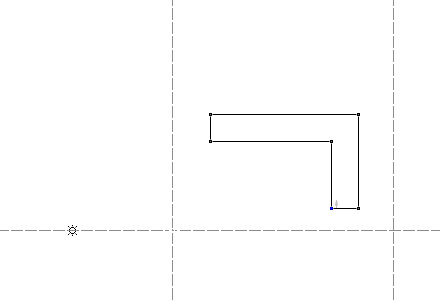
It's called the reference point. There's a whole page about it in the manual. You can change the coordinates by dragging it. You can also command-click (control-click for Windows) on it and a little window pops up that you can type coordinated into.

There is probably a way to reset the reference points of all glyphs to 0,0 but it's a bit beyond me how exactly to do it.

I may be wrong, but I believe that the reference point is not part of an exported font, but is only used (optionally) within FontLab as a reference for operations like rotation.

If you export the font and then re-open it, you will see that FontLab puts all the reference points in at 0.0 .

In other words, unless you are using it as a reference point in an operation--such as an instruction to rotate around the reference point--you can forget about it.

That'd work, but you'd also lose anything else you may have in the font that doesn't get exported (guidelines, background images, OT source code, etc.).

In other words, unless you are using it as a reference point in an operation—such as an instruction to rotate around the reference point—you can forget about it.

I would agree with that. If you need to use 0,0 as a reference point, you don't need the (movable) reference point to do it. For example:

Note that "zero point" is one of the choices for a transformation.

An aside: They really should give the movable reference point a different name. In the manual, the term "reference point" is used interchangeably to mean either the movable reference point (the little asterisk icon you can move around) or any other reference point. It's a bit confusing that one of your choices for a reference point is the reference point.

This is the macro I use in order to reset the reference point:

#FLM: reset rpoint
from FL import *
f = fl.font
for i in range(len(f)):
  f[i].rpoint = Point(0,0)
fl.UpdateFont()

Tim, thanks for this code, but if I run it I get this error message :


File "", line 5
  f[i].rpoint = Point(0,0)
^
SyntaxError: invalid syntax

Rachel, make sure that first white space is a tab.
(I noticed that when copy&pasting from Safari, that white space becomes two non-breaking space characters [U+00A0])

Thanks Tim, that's useful - saves loads of time.

Nick Cooke

>saves loads of time

I'm puzzled. Since, as Mark notes, you don't get any additional functionality by having the reference point at o.o, how does it help you to move the reference point back to 0.0?

It doesn't help – it's just reassuring somehow :^) (note to self; Don't be so anal).

As it serves no purpose I may ignore it in future.

Nick Cooke

>note to self

I kept moving it back to 0.0 for months until one day I asked myself, why the heck am I doing this?

This illustrates a pet gripe about the FontLab manual. It tells you that the reference point is useful for a symmetrical letter--though I'm not sure why as you have the option of rotating etc relative to the center of the selection--but doesn't tell you that it's only of any use in restricted situations. Basically, you have to figure out how its functionality or lack of functionality fits into the job of developing a typeface. A manual ought to give the user more guidance on this.

Also because you never need to use it at 0.0 it makes more sense for it not to be always on the glyph window, but rather to be inserted optionally when you want it, at a desired rotation center, etc.

Captured from web.archive.org on 20 Oct 2013. view this capture