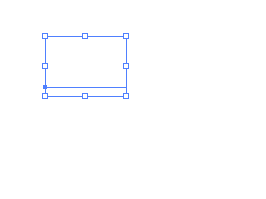
I've got a problem with an OTF font made in Fontlab (5.01) that just shows up invisible once I try and use it. Background info: I had the outlines for the font in Illustrator, which I saved as EPS and imported into Fontlab without any problems. In Fontlab (and the original outlines in Illustrator) the letters show up properly, and even after I export the font as an Opentype PS OTF font it'll render it visible in the standard Windows font preview window. But when I try and use it in Illustrator or Photoshop it shows up invisible. I've attached a couple of screenshots below, which show what it looks like after having been typed and is selected, and then when I move it it'll show the letters.. But if I drop it it's back to invisibility. I can't for the life of me figure out what's not working. I've tried reversing contours, checked for open connections, etc. and I come up empty.. I have the same Fontlab settings I've used successfully for everything else too so it can't be that.. So now I'm out of ideas and hoping someone else knows what this is caused by.