
Hello,
I have a problem in drawing in fontlab, always my letters are not smooth when I display it on screen. So, what is right way or best way to draw in fontlab? any help please?
thanks
Hello,
I have a problem in drawing in fontlab, always my letters are not smooth when I display it on screen. So, what is right way or best way to draw in fontlab? any help please?
thanks

Can you post an image? The main method of achieving smoothness is nodes at extremes, and as few as possible while preserving character integrity.

I'm guessing this is actually referring to screen rendering => hinting.
hhp
here is a screenshot
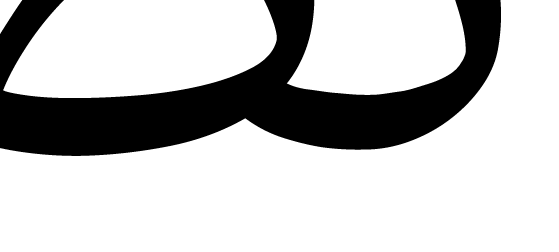
Oh, I was wrong.
So: mostly what Nick said.
hhp
If you could do a screen shot showing the unfilled outline, including the on- and off-curve nodes, we could give some more helpful advice.
It looks as if perhaps you have an on-curve point whose corresponding BCP is collapsed right onto the point, causing what you want to be a smooth curve to exhibit a bit of a "kink." But without seeing the point structure it is hard to be sure. There are many ways to mess up a curve, unfortunately! :)
Thomas, this is screenshot showing the unfilled outline
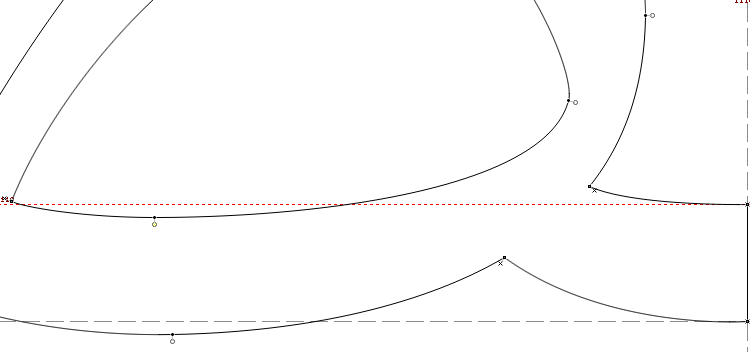
1) That's the good one; let's see the "tooth" on the right.
2) Also showing the control points is critical.
hhp
hrant: hope this is helpful
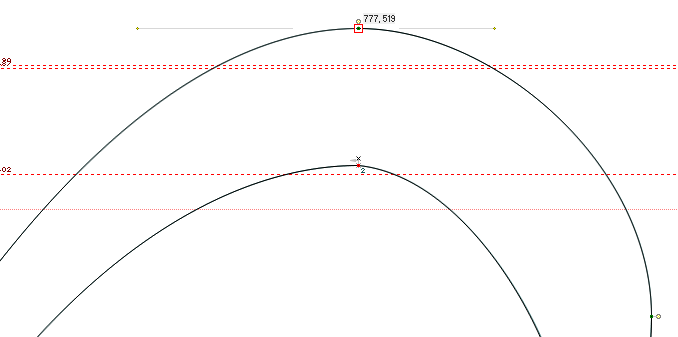
I have converted the outlines from PostScript to TrueType but the problem is still!! any help??
Converting poor outlines to TT can only make it worse. :-/
Let's try this again...
In your first image
http://typophile.com/files/smooth_4931.png
the worst offender is the inside curve of the bottom-right element.
Could you show a screengrab from FontLab with all the control points?
BTW in FontLab, Alt-Shift-Click balances the control points in a curve.
hhp
I really dont know, but I dont think changing one point will solve the issue
here the screenshot that you asked about:
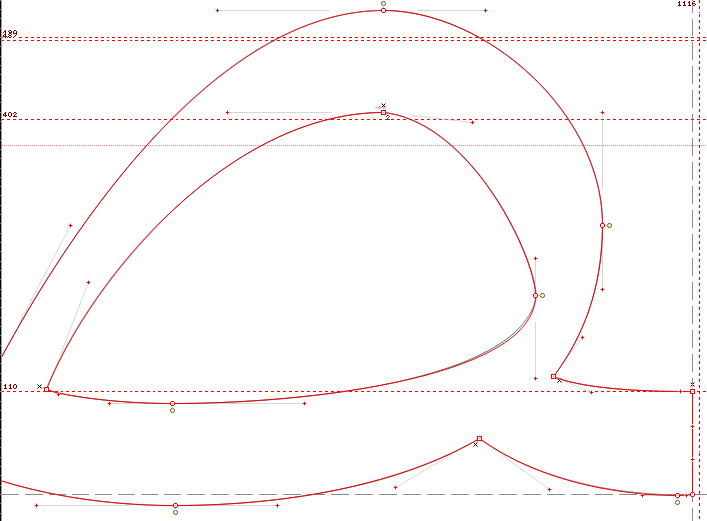
Actually that's not the big offender. I meant this part:
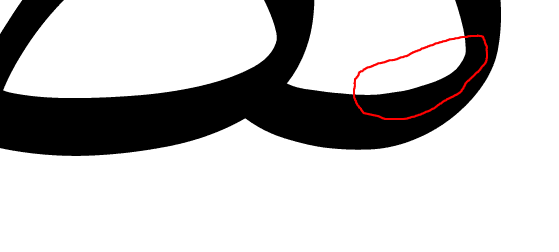
But actually in the part you do show, the vertex at the top of the inside curve (right above the 402 guide) has control points that are not aligned. If you do that more deliberately that can actually work (assuming it's made to carry through the entire font) but here it's close-but-not-exact, which makes it look simply wrong.
hhp
Is it necessary to aligned all control points? If so, how I can draw this curve without it? can you recommended or explain something about that?
Thanks
Try extending the horizontal control point and shortening the vertical one.
And have a look here: http://learn.scannerlicker.net/2014/04/16/bezier-curves-and-type-design-...
Captured from web.archive.org on 24 Apr 2015. view this capture