Typophile

My MSWord 2010 does not like ligatures!

kostas

Hi to everybody, from Greece!
I would appreciate if someone would give me an answer to the following problem:
I can not see any of the 1100 ligatures of an OpenType font in MS Word 2010 (PC).
Has it to do with the OS or with the otf font itself? I think there wasn't such a problem in the previous version.
Konstantinos Siskakis

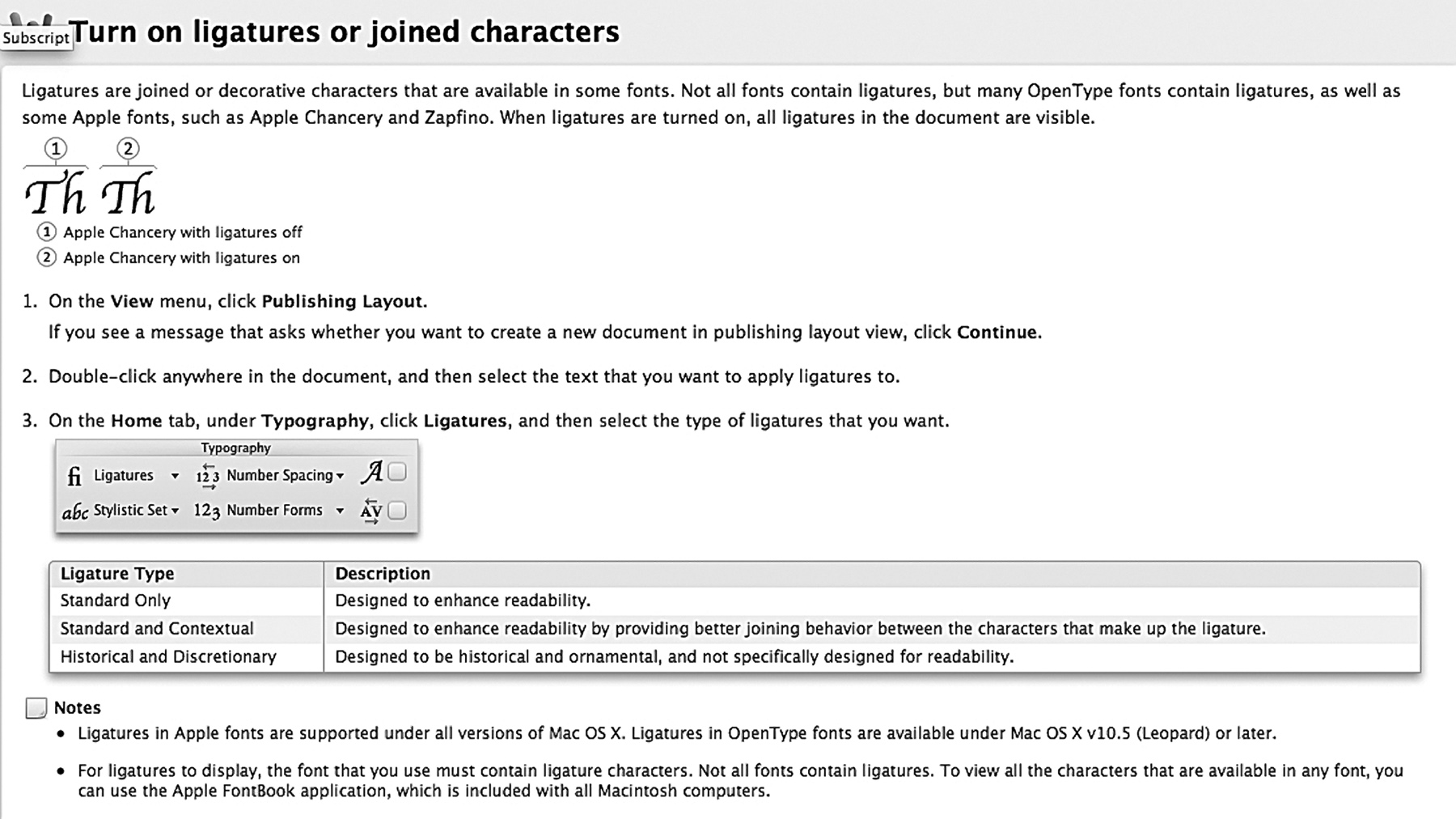
From what I remember of a previous encounter with this problem you have to be in 'publisher' mode, (or something). If you use the 'help' and enter 'ligatures' it will tell you what to do. Nothing is ever straight forward in MS Word.

Look in View menu - publishing - see below

I believe you can also find the options in the Fonts Dialog (select text and press Ctrl+D.
If that works, consider changing the font setting of the "Body Text" style in the same way.

The font must be digitally signed for OT features to be recognized

Thanks all you! It seems to be a technical issue. Font works perfectly in other programs like InD, QxP, Illu, and some earlier MSWord version. But not in MSW 2010. Any other idea?
Konstantinos Siskakis

Digitally sign your typeface and it will work. Even if it's a dummy signature.
More info here:
http://typedrawers.com/discussion/192/making-otttf-layout-features-work-...

Thanks Pablo, I will try.
Konstantinos Siskakis

Unfortunately, these all need special knowledge and i am not a programmer.
Thanks all of you...
Konstantinos Siskakis

I believe PabloImpallari's method require little knowledge in Coding. You need to know a bit about working in a terminal, though.

As I read the TypeDrawer thread, the digital signature is only required for OS/TTF fonts (in MS Word 2010). The OP could make up his fonts as a CFF font, and if the ligatures now work, it is a digital signature issue. If they still don't work, it is something else...

Captured from web.archive.org on 11 Nov 2014. view this capture