
Is there a way to make a font FOR FREE?
Is there a way to make a font FOR FREE?
There is one free program that handles TrueType/OpenType (including Kerning, etc.)
FontForge, a simple google search will find it. It is very difficult to get set up and working on a Windows system (it was designed for Linux), and is not the most intuitive design program I'm sure. I have not yet started to work on hinting/instructing the font's I've made in it, but it does seem to be capable of hinting. It can export both OpenType and Apple specific Kerning data in TrueType Fonts, and it can handle glyph substitutions as well (though I have yet to use this). It can also export to other font formats besides TrueTypes. I can't say how good a quality font you can make with it (I am not a professional font designer), but I have already created my own handwriting font with it, and I'm working on a Times New Roman style Serif font.

this is what i started with:
Font Maker, a TT editor from http://high-logic.com/. Their program is a free download and is fully functional for 1 month, after which time you must register (for something like $50).
For Windows Only.
Interesting to me that we want to begin by recommending a piece of software. That was my first reaction too.
If you want to make quality fonts, I'd suggest investing time and alas, money in a class from somebody who knows what they're doing. I see you are not too far from new york city. Type Director's Club offers a masterclass on type design over 4 saturdays (intro to drawing glyphs), see www.tdc.org. SVA offers several type related options (but coming down for a semester on weekdays might be an issue) www.sva.edu.
Without spending money, you can get some type education by visiting:
http://briem.ismennt.is/
http://www.typeworkshop.com
http://typophile.com/articles/typefacedesign110/index.html
http://just.letterror.com/ltrwiki/SketchingType
Browsing around here at typophile (take all comments with a grain of salt). We speak hyperbole.
There is no substitute for flesh and blood instruction.
Happy drawing.
Randy

Yea, and start calling it a TYPEFACE. You wont sound so amateur.
Of course, typeface it is :)
But, now that we are on the subject as well, can anyone recommend a good typeface editor for OS X?
As Fontographer is still in Classic...
Cheers.

Manutius (for windows):
http://mywebpage.netscape.com/yeahnoah/manutius.htm

Installing and using Fontforge is not extremely difficult!
Although it's still not ready, check out the Document Section on How to Install Fontforge on Windows, OSX or Fedora Linux.
This website will be concentrating on how to (start to) Type Design featuring the whole sketch-to-digital typeface . For now, Akzidenz revival - we are currently sketching...
Actually, I think using Open Source software is the best way to learn some subjects (like Typography and Webdesign) and to motivate people to push forward. Otherwise people tend to stick to the available commercial solutions... and sometimes fail to see the true principles of the art/craft behind the software mask. Even if sometimes Open Source software is quirky, technicaly challenging and hard to master...
On the other hand, if you do want to take it to the professional level you should use professional level editor like Fontlab. You shouldn't go for the $50 solutions.
Cheers,
Pedro
Caspar, stay tuned for Fontographer for OS X. It is presently in Beta, and works pretty much exactly as it always has. (Using it is like stepping back in time. Very odd sensation.)
I heartily recommend FontLab, which is the Concorde to Fontographer's Sopwith Camel. Which is purely my opinion; some people swear by RoboFog, which is a Python-fueled version of an even older generation of Fontographer.
There is a "diet" version of FontLab called TypeTool, which might be the right tool for someone wanting to try on the FontLab editing environment. And it only costs $99.
FontLab makes all of the above-mentioned sotware, and they do a great job.
http://www.fontlab.com/
Oh, and I forgot to say: You can download trial versions of their software, so you can get the applications for free, but there will be limits when you generate the fonts.

Chester,
Is the OS-X build of FOG just a port to OS-Xor are there new features like OTF suport?
I still like the "cleanup path" command in FOG better than FL.
ChrisL
Chris, it's a straight port. It really is like stepping back in time. There was a cartoon I used to watch in which a family falls through a whirlpool into prehistory, with dinosaurs walking around. Using FogX is like that.
PS; IOUe.

Does FogX use Quartz for the Bézier curves and previews? or is it still all jaggedy?

>It really is like stepping back in time.
Yeah, and trying to run it in Classic does indeed cause one to step back in time whenever it freezes.
Nick, no need for Classic, fortunately...
Mark, it's pretty crunchy:
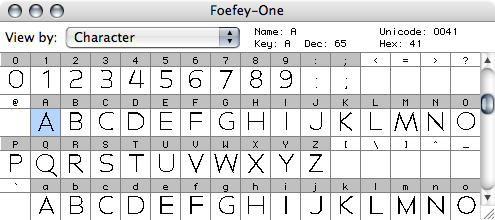
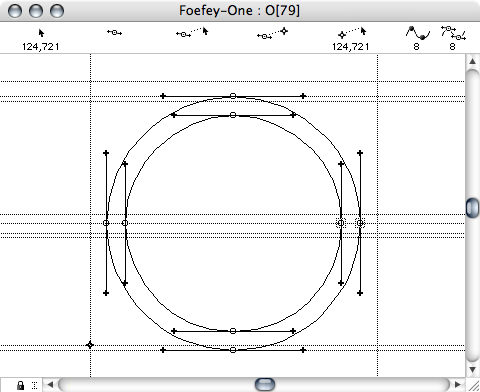
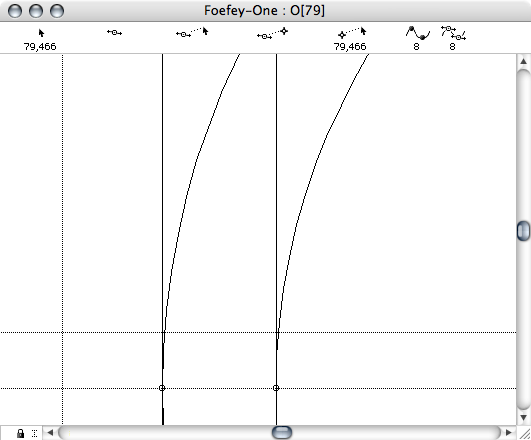
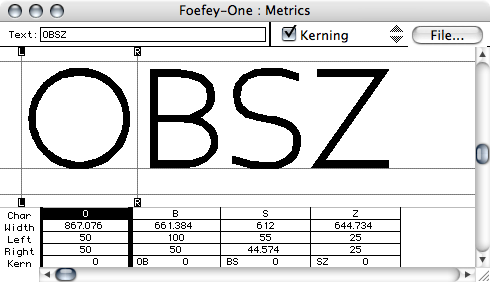
"Holy time travel, Batman!"
Well, it's not like I was expecting to switch back...

This question is a bit of a sticky wicket. How much text do you need to set? If it isn't more than a paragraph, you could always use pen, paper and photocopier. Just teasing. I believe that FontLab has 30 day trial versions that might get you started. You might look at their comparison page and perhaps find that you don't need FontLab and can make due with one of their other software packs. You could also scour ebay for a copy of something used, Fontographer for instance. Unfortunately, to make quality typefaces isn't something that can be done for free.
Downloads: http://www.fontlab.com/Font-utilities/Try-out-FontLab-Products/
Compare: http://www.fontlab.com/Font-tools/Product-Comparison-Chart/
Captured from web.archive.org on 20 Oct 2013. view this capture